Installing the 1U Integrated Keyboard Drawer
HP 1U Integrated Keyboard Drawer User Guide 2-9
HP CONFIDENTIAL
Writer: John Turner - Amy Laffitte File Name: c-ch2 Installing the 1U Integrated Keyboard Drawer
Codename: Dachshund Part Number: 269450-001 Last Saved On: 8/2/02 9:30 AM
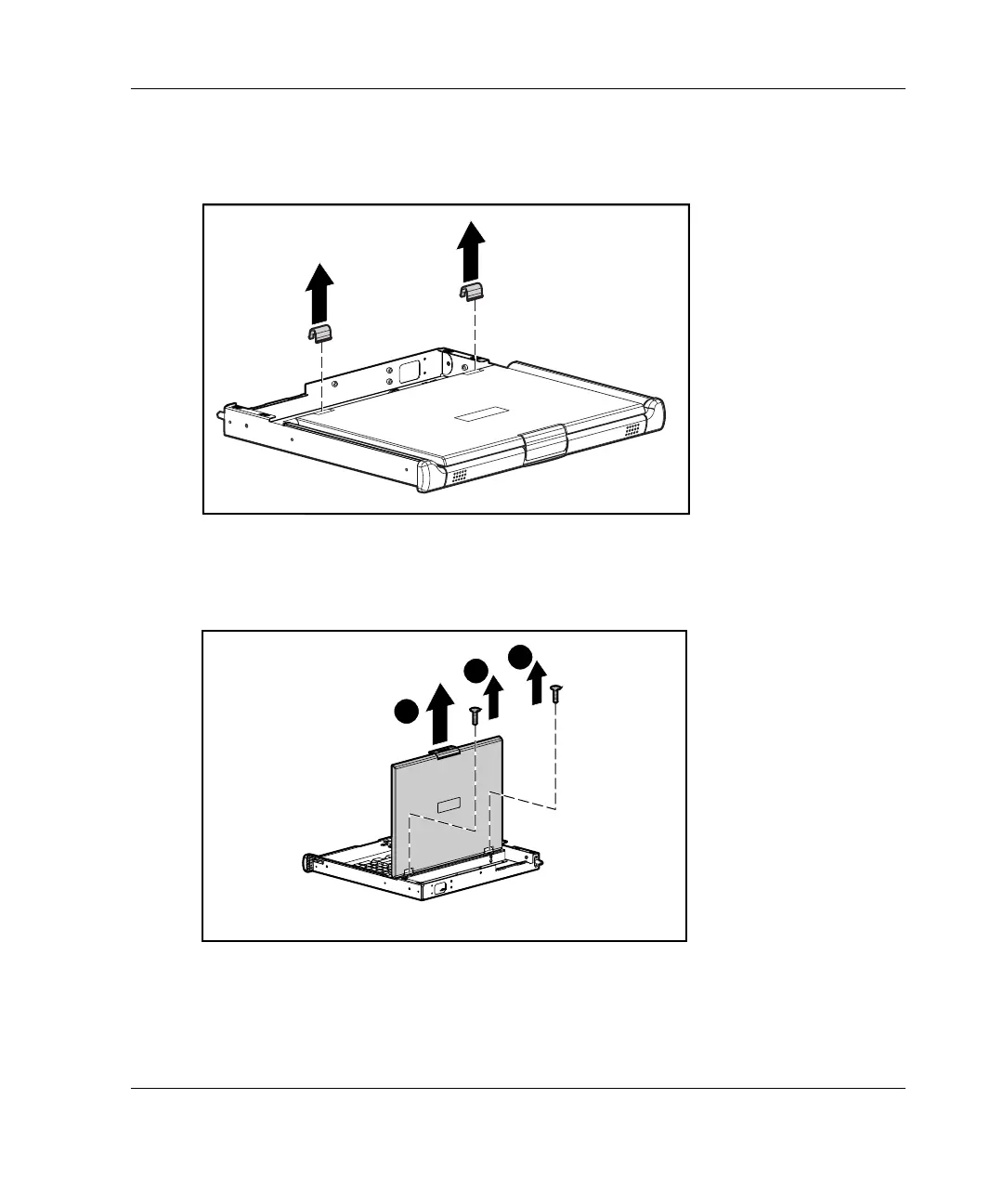
2. Unsnap the clutch covers, rotate them toward the front of the unit, and
remove them.
Figure 2-9: Removing the clutch covers
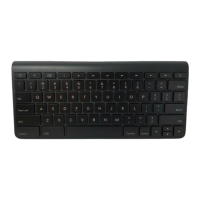
3. Remove the two screws securing the multipurpose cover to the metal tray (1) and
lift the cover out of position (2).
2
1
1
Figure 2-10: Removing the multipurpose cover



 To Next Page