HP 1U Integrated Keyboard Drawer User Guide 3-1
CONFIDENTIAL
Writer: John Turner - Amy Laffitte File Name: d-ch3 Operating the 1U Integrated Keyboard Drawer
Codename: Dachshund Part Number: 269450-001 Last Saved On: 7/29/02 1:26 PM
3
Operating the 1U Integrated Keyboard Drawer
Accessing the Keyboard
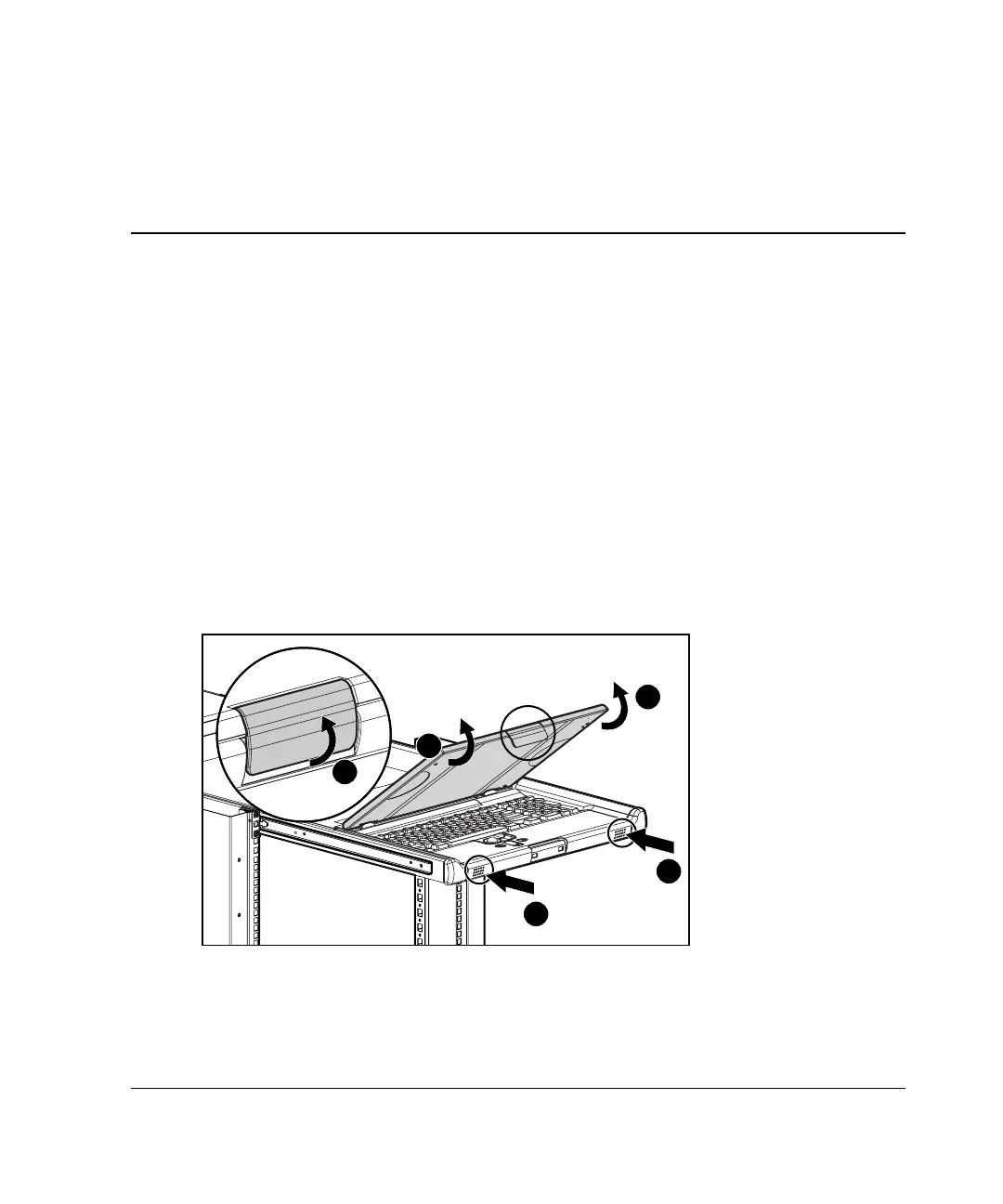
To access the keyboard:
1. Gently push in on the 1U Integrated Keyboard Drawer to release the locking
mechanism in the slides, and then fully extend the unit until the slides lock into
place (1).
2. Lift up the multipurpose cover release latch (2) and then rotate the multipurpose
cover up (3).
1
1
3
3
2
Figure 3-1: Accessing the 1U Integrated Keyboard
Drawer tray



 To Next Page