Operating the 1U Integrated Keyboard Drawer
HP 1U Integrated Keyboard Drawer User Guide 3-3
CONFIDENTIAL
Writer: John Turner - Amy Laffitte File Name: d-ch3 Operating the 1U Integrated Keyboard Drawer
Codename: Dachshund Part Number: 269450-001 Last Saved On: 7/29/02 1:26 PM
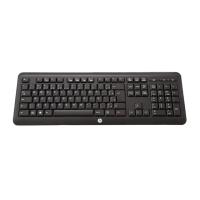
Keyboard Programming
The 1U Integrated Keyboard Drawer supports up to seven keystrokes for assigning
up to nine devices to hot keys.
To program a hot key:
1. Press the Programming Wizard key.
2. Press the Print Scrn key.
3. Identify the device.
Table 3-1: Hot Key Programming Examples
Example
1 To select the first server on Remote Switch 1, type 1-1.
2 To select the eighth server on Remote Switch 1, type 1-8.
3 To select the fourth server on Remote Switch 2, type 2-4.
4 To select the standalone server on port 8 of the Master Switch,
type 8.
4. Press the Enter key.
5. To complete setup, select the hot key that has been assigned.
To program all four examples listed in Table 3-1 would require that each example be
programmed separately.
NOTE: Assignment of a device is not permanent; it can be changed. To reassign a device,
repeat the above steps.



 To Next Page