5–34 Maintenance and Service Guide
Removal and Replacement Procedures
Ä
CAUTION: Support the display assembly when removing the following
screws. Failure to support the display assembly can result in damage to
the display assembly and other computer components.
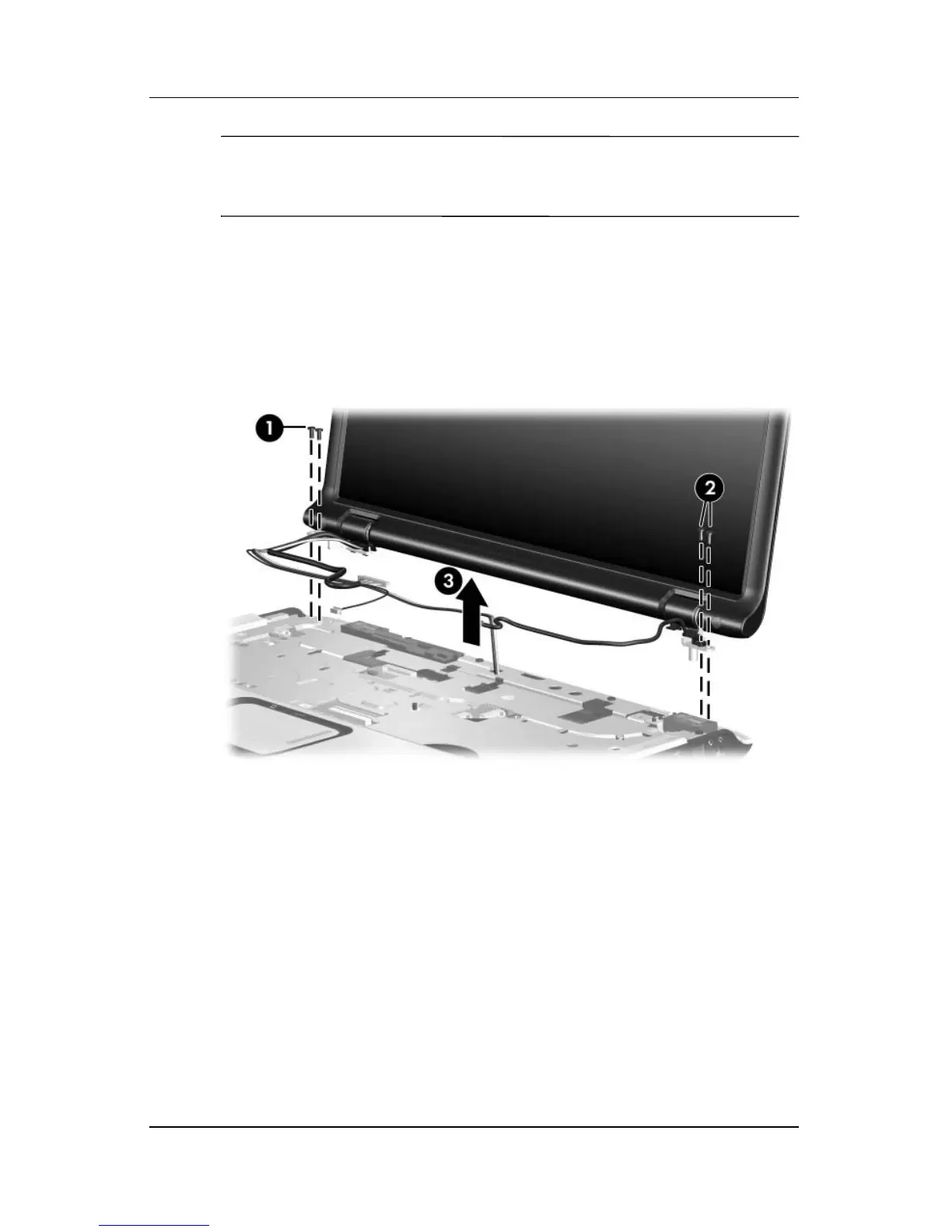
8. Remove the two black Phillips PM2.5×5.0 screws 1 and the
two Phillips PM2.5×7.0 screws 2 that secure the display
assembly to the computer.
9. Remove the display assembly 3.
Removing the Display Assembly



 To Next Page