EasyManua.ls Logo

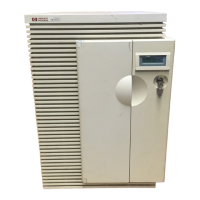
HP 3000 9X9/KS - User Manual

HP 3000 9X9/KS
82 pages
Print Icon
To Next Page IconTo Next Page
Loading...
HP 3000 9X9/KS
and
HP 9000 K-Class Enterprise Servers
Site Preparation
and
Requirements Guide
Copyright Hewlett-Packard Company 1996
All rights reserved.
Edition 1
E1196
A2375-90073
November 1996

Table of Contents

Questions and Answers

  • D
    Danielle BooneAug 16, 2025
    What to do if HP 3000 9X9/KS shows 'POWER FAIL' error?
    • M
      monicajohnsonAug 16, 2025
      If your HP Server displays a 'POWER FAIL' message, it indicates that AC power is either unavailable or out of specification. First, examine the power source. If the issue persists, consider replacing the PM card or the power supply.
  • E
    Emily HughesAug 22, 2025
    What to do if HP 3000 9X9/KS displays 'DC OVERVOLTAGE' error?
    • M
      maddoxtylerAug 22, 2025
      If your HP Server shows a 'DC OVERVOLTAGE' error, it means an overvoltage condition was detected on the specified D.C. voltage (+X.Y). To resolve this, you can try replacing the power supply or replacing the PM card.
  • X
    xlawrenceAug 26, 2025
    What to do if HP Server displays 'DC UNDERVOLTAGE' error?
    • N
      nicole96Aug 26, 2025
      If your HP Server displays a 'DC UNDERVOLTAGE' error, it indicates an undervoltage condition on the specified D.C. voltage (+X.Y). The suggested solutions are to replace the power supply or replace the PM card.
  • T
    taylor11Aug 28, 2025
    How to fix HP 3000 9X9/KS with no front panel display but the system is operating?
    • A
      Andrew JonesAug 28, 2025
      If your HP Server system is operating but there is no front panel display, the following steps are suggested: 1. If the operating system is running without issues, shut it down. 2. Check the internal cables connecting the power monitor to the front panel. 3. Replace the front panel. 4. Replace the power monitor card. 5. Replace the system board.
  • T
    Timothy OconnorAug 31, 2025
    What causes 'PM POWER ERROR' on HP 3000 9X9/KS Server and how to fix it?
    • A
      Aaron SmithAug 31, 2025
      If your HP Server displays a 'PM POWER ERROR', it indicates that the +15V is not within specifications. To resolve this, you can try replacing the power supply or replacing the PM card.
  • M
    Megan SmithSep 3, 2025
    What causes 'FRONT FAN POWER SHUTDOWN' on HP 3000 9X9/KS Server?
    • R
      Robert HopkinsSep 3, 2025
      If you receive a 'FRONT FAN POWER SHUTDOWN' error on your HP Server, it means the front fan is either dead or running too slowly. Try replacing the front fan, replacing the PM card, or replacing the fan cables.
  • A
    Ashley BrownSep 6, 2025
    Why does my HP 3000 9X9/KS Server show 'REAR FAN POWER SHUTDOWN'?
    • R
      rstephensSep 6, 2025
      If your HP Server displays 'REAR FAN POWER SHUTDOWN', this means the rear fan is either not working or running too slow. To fix this, you can replace the rear fan, replace the PM card, or replace the fan cables.
  • W
    walkerchristopherSep 9, 2025
    What to do if HP Server backlight is on but display panel is blank?
    • M
      Miguel AdamsSep 9, 2025
      If the backlight is on but the display panel is blank on your HP Server, it suggests the display panel data is dim. You can try replacing the PM card, replacing the display panel, or replacing the ribbon cable.
  • A
    April BoydSep 12, 2025
    Why does my HP Server show 'SWITCH ON' error?
    • T
      Tiffany ArnoldSep 12, 2025
      If your HP Server displays 'SWITCH ON', it indicates a bad power supply fan. You can try replacing the power supply fan or replacing the power supply.
  • C
    cellisNov 18, 2025
    How to troubleshoot HP 3000 9X9/KS with no front panel message and no system operation?
    • M
      Michael NelsonNov 18, 2025
      If there is no front panel message and the HP Server is not operating, follow these steps: 1. If PowerTrust is installed: * Check the power output cable connection from the PowerTrust (UPS) to the system AC input. * Ensure the UPS AC power cord is plugged into the AC power source. * Verify the UPS output switch is in the ON position and the AC Output indicator is green. * Disconnect the power cable and AC power cord, then reconnect the AC power cord directly from the power source to the system. * If the display works, replace the UPS; otherwise, proceed. 2. Check for AC power at the power source by plugging in another device and inspecting the circuit breaker. Reset the breaker if needed. 3. If AC power is present but there's no display: * Replace th...

HP 3000 9X9/KS Specifications

General IconGeneral
BrandHP
Model3000 9X9/KS
CategoryServer
LanguageEnglish

Related product manuals