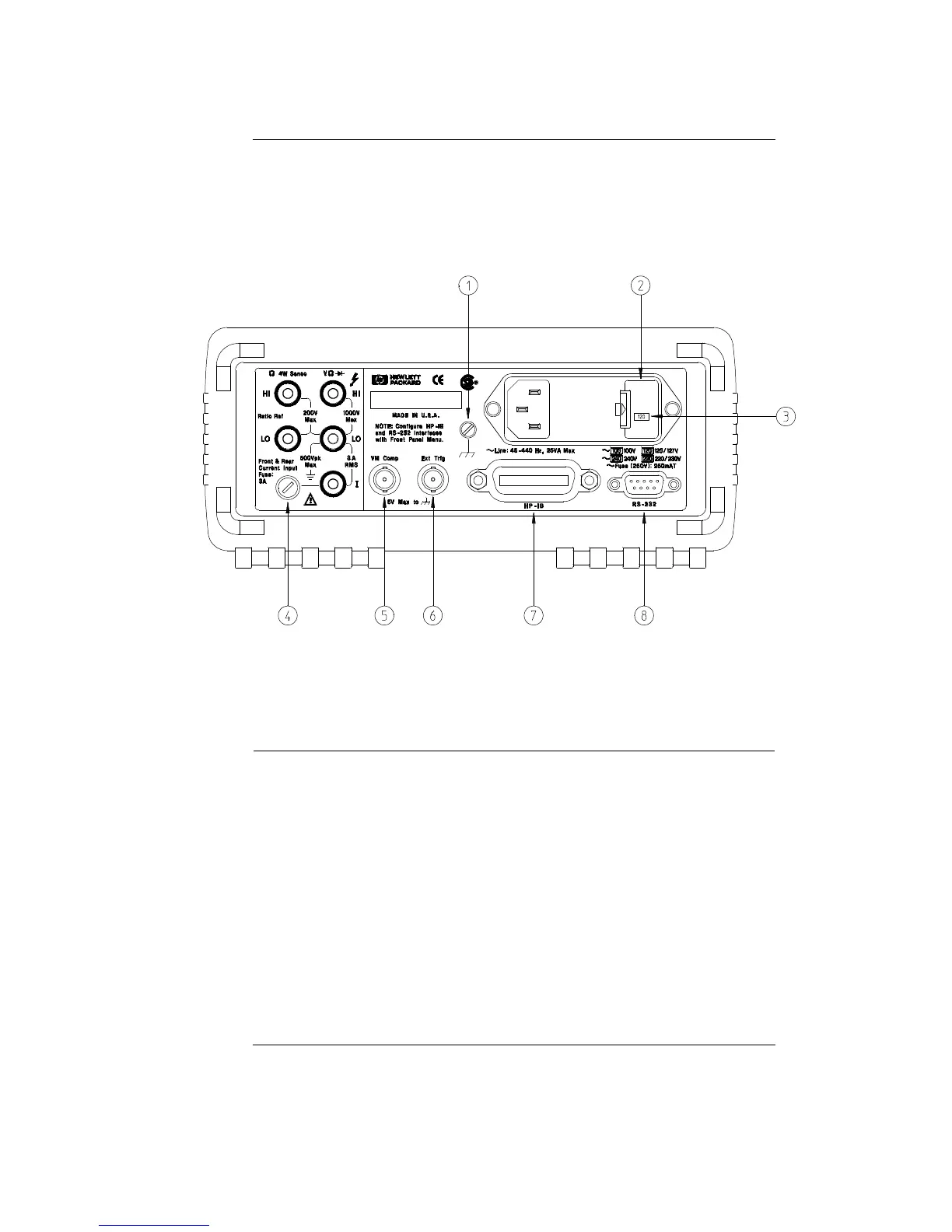
The Rear Panel at a Glance
1 Chassis Ground
2 Power-Line Fuse-Holder Assembly
3 Power-Line Voltage Setting
4 Front and Rear Current Input Fuse
5 Voltmeter Complete Output Terminal
6 External Trigger Input Terminal
7 HP-IB (IEEE-488) Interface connector
8 RS-232 interface connector
Use the front-panel Input / Output Menu to:
• Select the HP-IB or RS-232 interface (see chapter 4).
• Set the HP-IB bus address (see chapter 4).
• Set the RS-232 baud rate and parity (see chapter 4).
5



 To Next Page