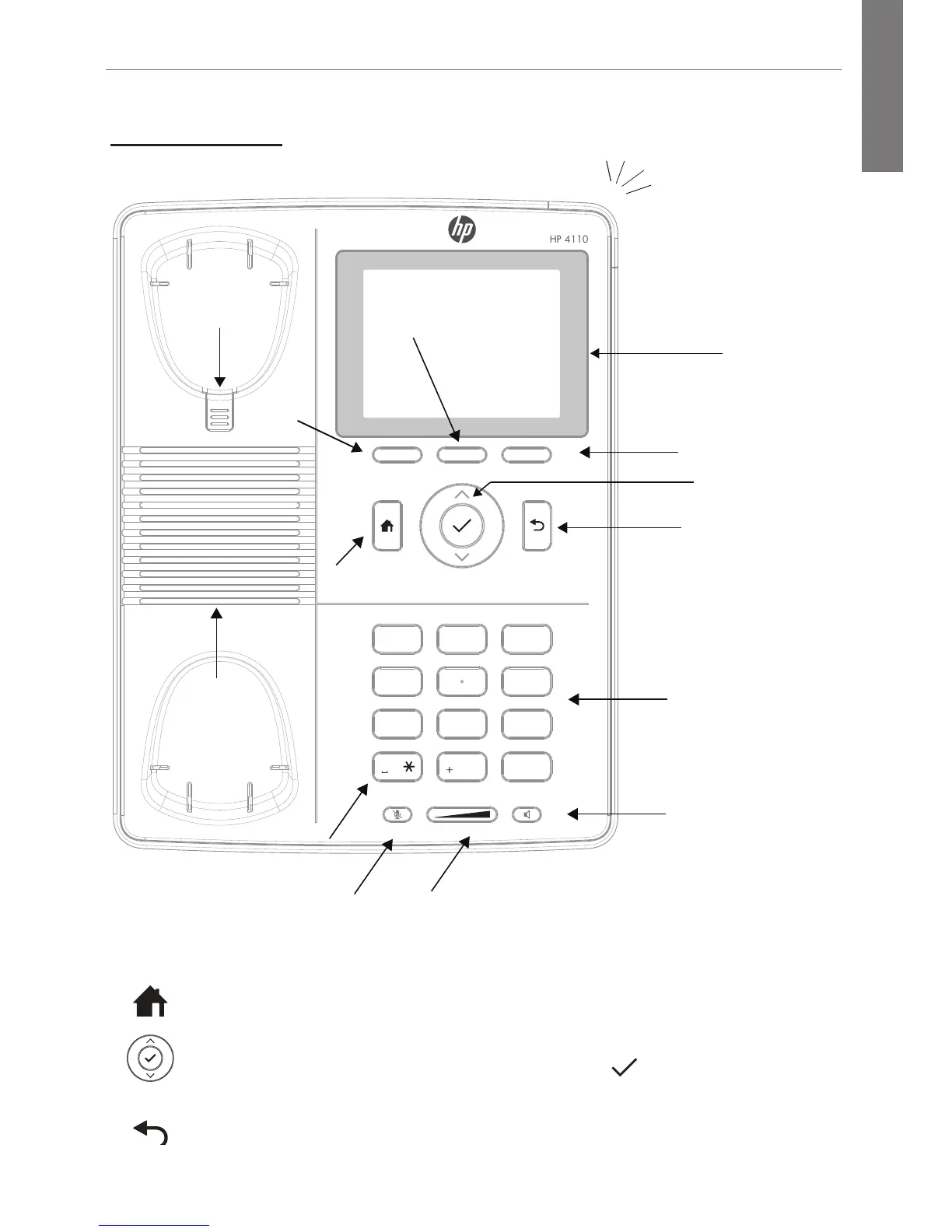
Mute SpeakerVolume
Home Key
Select Key
LCD Display
Space Character
Speaker
Context-Senstive
Soft Key
Menu Key
Speakerphone
Key
Volume
(Down/Up)
Mute Key
Navigation Keys
Up/Down/Select
Cancel/Back Key
Keypad
Handset
Hook
Message Waiting Indicator
– Blinking fast: Incoming call
– Steady light: In call
– Blinking slowly: Call on hold
Home key—Returns you to the home screen.
Navigation keys—For navigating within the display menus. Press
^ to go up, press ˅ to go down, and use the to confirm your
selection.
Cancel/back key—Cancels actions or input.



 To Next Page