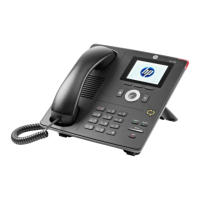
HP 4110 Quick Start Guide
18
ENGLISH
E
N
G
L
I
S
H
Cleaning
To clean the HP 4110 IP phone, use an anti-static cloth. Please avoid
cleaning liquids, as they might damage the surface or the internal
electronics of the phone.
Where to Go Next
■ For information to help get you started with Microsoft Lync
2010 Devices, go to technet.microsoft.com/en-us/library/gg398926.aspx.
■ For information about managing devices, go to
technet.microsoft.com/en-us/library/gg398307.aspx.
■ For the most up-to-date planning information for Microsoft
Lync 2010 Devices, go to go.microsoft.com/fwlink/?LinkId=204935.
■ For the most up-to-date deployment information for Microsoft
Lync 2010 Devices, go to go.microsoft.com/fwlink/?LinkId=204936.
■ For the most up-to-date troubleshooting information for
Microsoft Lync 2010 Devices, go to
go.microsoft.com/fwlink/?LinkId=204933.
■ For the complete set of the Microsoft Lync 2010 online server
and client documentation, go to
technet.microsoft.com/en-us/library/gg398616.aspx.
Safety Instructions
Note: This device does not have a power switch. It powers on when
the external power adapter is plugged in, or alternatively, when the
LAN cable is connected to a PoE source.
Follow the instructions in this manual and other applicable
documentation of the device.



 To Next Page