HP 4110 Quick Start Guide
6
ENGLISH
E
N
G
L
I
S
H
Mounting to Wall
Before You Begin
The following tools are needed during this procedure:
■ Phillips head screwdriver
■ Ruler or measuring tape
If an Ethernet jack for the telephone does not currently exist in the
desired location, you must install an Ethernet jack before continuing.
This jack must be wired appropriately for an Ethernet connection. A
regular telephone jack cannot be used.
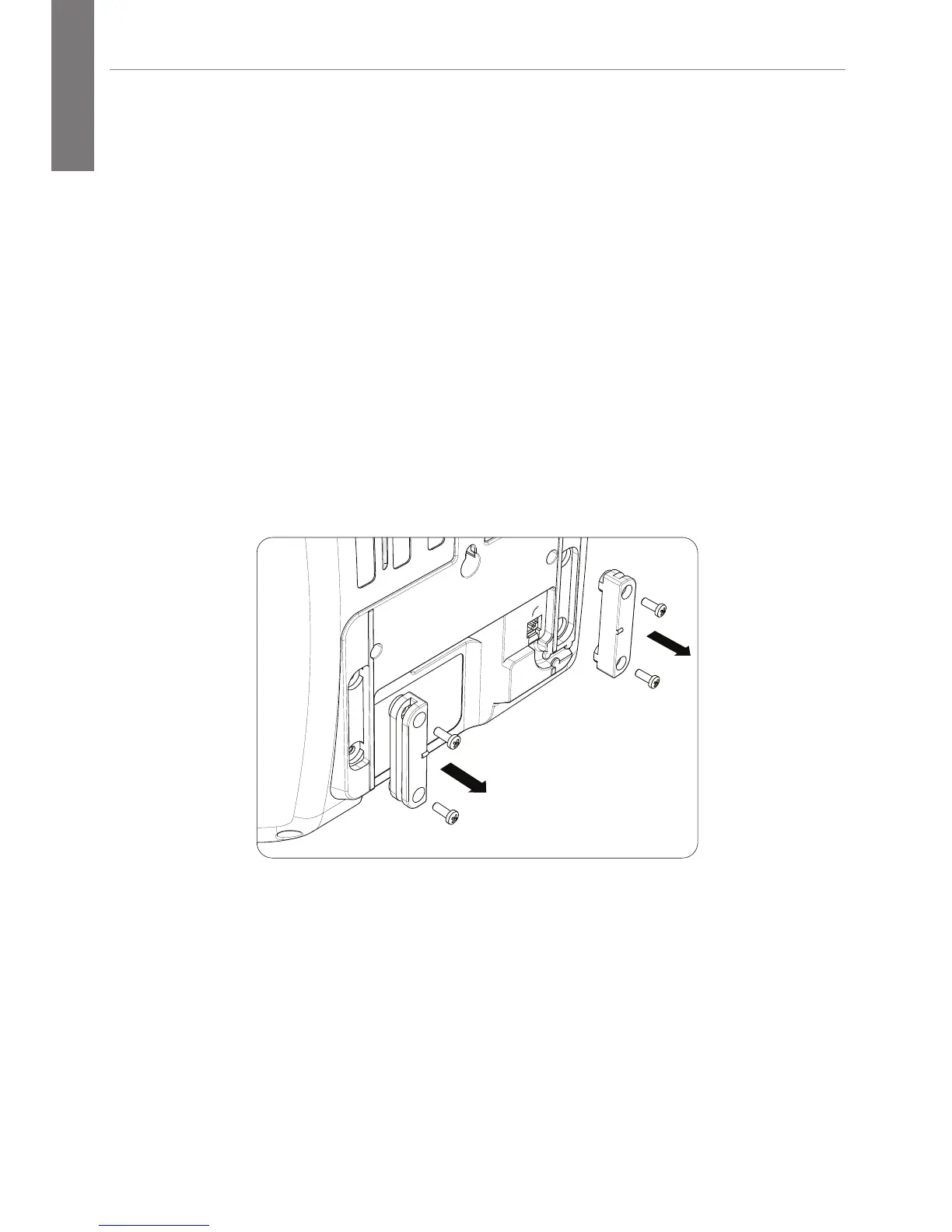
Dismount Slide Rail from Footstand
Remove screws from slide rail.
Prepare the Wall and Install Screws
1. Using a pencil, mark the location for mounting screws on
wall. Screws should be 2 inches apart, inline with the top of
the mounting holes on back of phone.



 To Next Page