HP 4110 Quick Start Guide
7
E
N
G
L
I
S
H
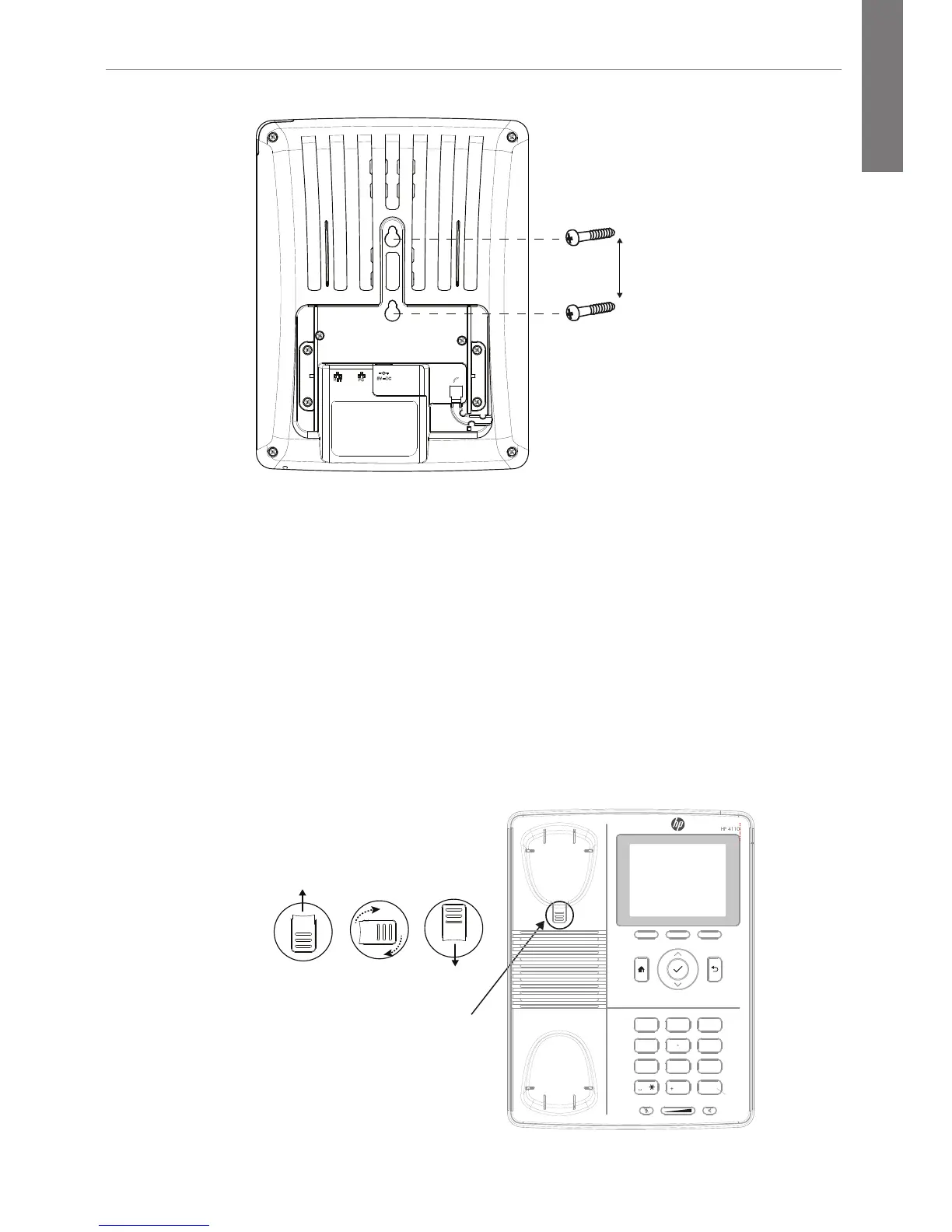
2 inches
2. Using a Phillips head screwdriver, install two screws into
wall.
Prepare the Handset Hook
1. Remove the handset hook from the handset rest.
2. Rotate the hook 180 degrees.
3. Reinsert the hook.
The hook should have a lip on which the handset catches
when the phone is positioned vertically.
Remove tab
from handset
rest
Rotate
180°
Return tab
to handset
rest
Handset
Hook
ABC DEF
JKLGHI MNO
PQRS WXYZTUV
1
4
7
2
5
8
3
6
9
0 #



 To Next Page