EasyManua.ls Logo

HP 48G - Page 11

HP 48G
84 pages
Print Icon
To Next Page IconTo Next Page
To Previous Page IconTo Previous Page
Loading...
the
current
directory
is
“visible”
(usable)
from
the
currentdirectory;
allothernames
are
“invisible.”
Thus,
inthe
example,
all
names in
K1
are
also
visible
from
DIEA,
DIRE
and
HOEE,
but
notfrom
OIR2, DIR3,
MIAC,
orHOME.
And,
as
with
the
built-in
(command)
names,
all
names
in
HOME
are
visible
from
all
directories.
To
erase
an
empty
directory,
you can use
the
key-
board
command
(&[PURG)
(
just
as
for
other
named
ob-
jects).
But
to
avoid
grievous
errors,
for
a
non-empty
directory,
you
need
the
non-keyboard
FGOIFE
com-
mand.
Thus,
to
erase
the
example
structure,
first
go
HOME
(o)HOME)
then
put{
DIR1
DIRZ DIR3
Xon
the
stack
and
use
PGOIE.
(You
could
use
(&)PurG)on
'0IRE"
alone,
but
it's
easier
to
do
it
all
at
once.)
(©]MEMORY
The
application
offers
a
self-contained
in-
put
screen
that
allows
you
to
move,
copy,
edit,
create
or
purge
any
named
object
in
memory.
As
with
most
such
application
screens,
you
use
the
arrow
keys
((a),
(v),
(«Jand
(»))
to
move
the
highlight
bar
around,
then
(EnTeR)
or
LT
to
accept
your
selections.
You
can
select
more
than
one
object
by
using
the
tool.
(70)
MEM
[EYTESINEWDO]
|
DIE
[ARITH
PATH
CEDIR
[PGDIR
VARS
|TVARS|ORDER]
I
NA
N
eT
(72)
[sINY
[SMEG[sCON]
[
[HMEM]
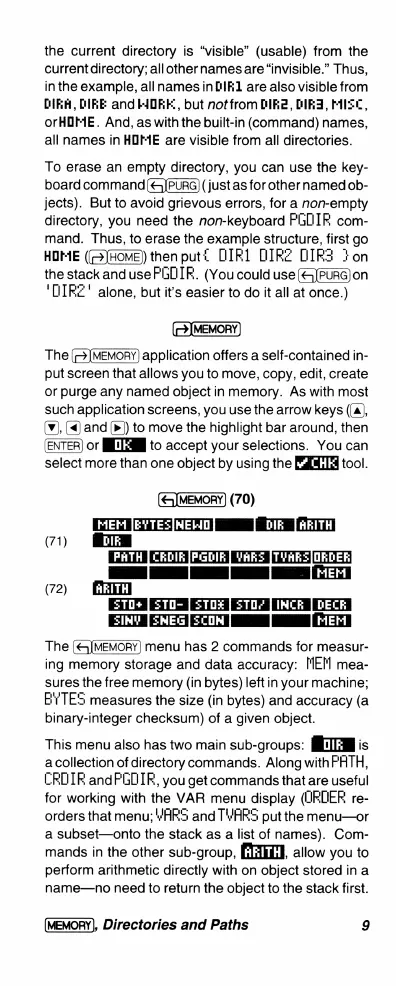
The
menu
has
2
commands
for
measur-
ing
memory
storage
and
data
accuracy:
[MEM
mea-
sures
the
free
memory
(in
bytes)
left
in
your
machine;
EYTES
measures
the
size
(in
bytes)
and
accuracy
(a
binary-integer
checksum)
of
a
given
object.
(71)
This
menu
also
has
two
main
sub-groups:
I
is
a
collection
of
directory
commands.
Along
withPHTH,
CRDIR
andFGOIR,
you
get
commands
that
are
useful
for
working
with
the
VAR
menu
display
(JROER
re-
orders
that
menu;
YARS
and
TWARS
put
the
menu—or
a
subset—onto
the
stack
as
a
list
of
names).
Com-
mands
in
the
other
sub-group,
EIAEL],
allow
you
to
perform
arithmetic
directly
with
on
object
stored
in
a
name—no
need
to
return
the
object
to
the
stack
first.
(MEMORY),
Directories
and
Paths
9

Related product manuals