EasyManua.ls Logo

HP 48G - And Data Communications

HP 48G
84 pages
Print Icon
To Next Page IconTo Next Page
To Previous Page IconTo Previous Page
Loading...
make
it
the
server
(via
a
command
such
as
SERVER).
Onthe
calculator,
press
(=]1/0)a]a)lIHM.
|f
needed,
changePOKT:
told
112
(use(+/5),
TYPE:
toKetmit
;
adjust
other
parameters
to
match
your
computer.
(Binary
transfer
is
faster,
but
use
ASCI!
if
you
want
to
be
able
to
edit
transferred
objects
on
the
computer.)
Transferring:
Press
(then(¥)if
you're
going
to
transfer
from
the
computer),
then
I3
to
browse
through
possible
object(s)
to
be
transferred
(put
a
check
mark
beside
each
one
selected).
Press
to
finalize
the
list
of
names.
Now,
to
send
the
names
to
the
computer,
press
E[3:l;
or,
to
get
the
names
from
the
computer,
press
IEXTAMATER.
Then
(for
either
direction),
press
(IETA,
if
necessary)
ERTHEL
Sending
Backups
Directly
to
the
Computer:
Turn
off
the
ticking
clock
display
in
the
calculator.
Set
up
the
transfer
as
usual
(B
1
mat™d
isfaster).
Onthecal-
culator,
put
#
I
name
onto
the
stack,
where
name
is
the
file
to
be
created
on
the
computer.
Then
press
(&)
(MEmORYINxT)
BTl
When
the
session
is
finished,
press
(]1/0)
I
ELTHEN
(x)
(ENTES.
HP
48G/GX
<---->
Computer
via
other
methods
The
HP
48G/GX
can
transfer
to
a
computer
via
other
serial
protocols,
too
(XModemisonthe
screen).
For
specific
details,
consult
your
computer’s
and/or
main
HP
manuals.
Note
also
that
the
product
known
as
the
HP
Connectivity
Kit
(available
for
DOS/Win-
dows
or
Macintosh),
allows
for
especially
simple
data
transfers/handling.
Refer
to
its
supplied
instructions.
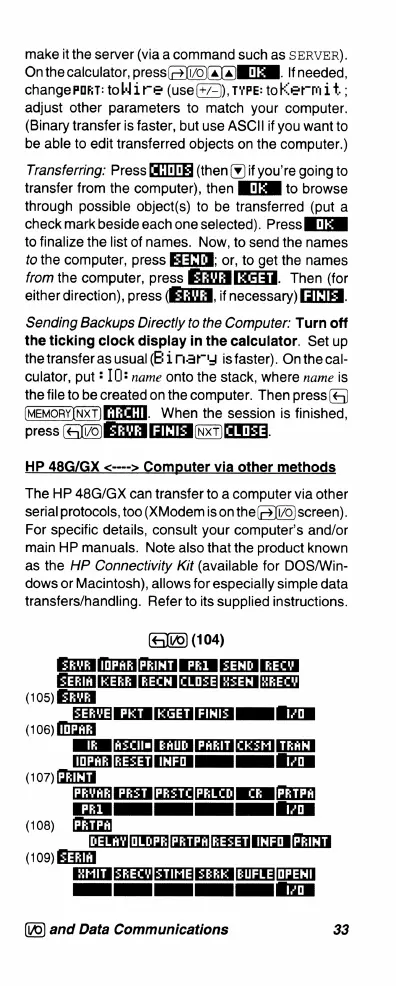
(Glvo)
(104)
SKVE
|1OPAE
[PRINT]
PR1
[ZEND
RECY
(105)
ETE
EAE
A
O
GETE
.i
(106)
(LT3
Ik
[asClim]
EAUD
PARIT[CKEM
TRAN
10PARJRESETINFO
[
I/D
(107)
A
PREVAE]
PE:T
[PRETCIPELCD]
CR[PRTPA)
(pr1]
[
[
T}
(108)
[DELAY|OLOPE[PRTPA[RESET]
INFO
[PRINT
(109)
B3T3
BMIT
[SKECY|STIME|
SEEE
[EUFLEJOPENI|
1
[
T
T
(’©)
and
Data
Communications
33

Related product manuals