EasyManua.ls Logo

HP 48G - Page 34

HP 48G
84 pages
Print Icon
To Next Page IconTo Next Page
To Previous Page IconTo Previous Page
Loading...
I/0)
AND
DATA
COMMUNICATIONS
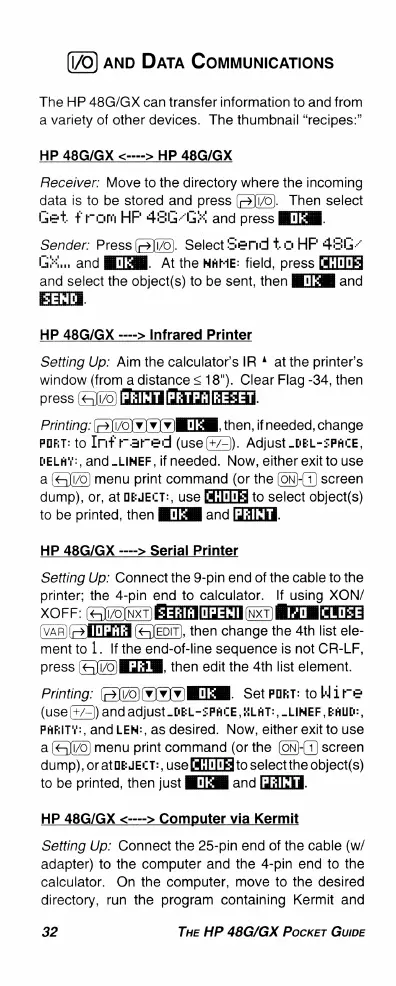
The
HP
48G/GX
can
transfer
information
to
and
from
a
variety
of
other
devices.
The
thumbnail
“recipes:”
HP
48G/GX
<---->
HP
48G/GX
Receiver:
Move
to
the
directory
where
the
incoming
data
is
to
be
stored
and
press
(©[1/0).
Then
select
Get
from
HF
425655
and
press
lTHM.
Sender:
Press
[>]i/0).
Select=erd
t.oHF
426G
G
and
BT,
At
the
WAME:
field,
press
and
select
the
object(s)
to
be
sent,
then
[Tl
and
HP
48G/GX
---->
Infrared
Printer
Setting
Up:
Aim
the
calculator's
IR
4
at
the
printer’s
window
(from
a
distance
<
18").
Clear
Flag
-34,
then
press
PEINT
|PETPR|REZETH
Printing:
(=>]i/0]v
v
v)MlM,
then,
if
needed,
change
PORT:
to
Imf
rmar-ed
(use
(+/=).
Adjust
_DEL-ZPHLCE,
DELAY:,
and
_LIMEF,
if
needed.
Now,
either
exit
to
use
a
menu
print
command
(or
the
(ON){
1)
screen
dump),
or,
at
DEJELT:,
use
to
select
object(s)
to
be
printed,
then
BT
and
[{AEH.
HP
48G/GX
---->
Serial
Printer
Setting
Up:
Connect
the
9-pin
end
of
the
cable
to
the
printer;
the
4-pin
end
to
calculator.
If
using
XON/
XOFF:
(ei/o[nxT)
EEACI
G
(v«
R
EEE
(VAR)
IILEIA
()EDIT),
then
change
the
4th
list
ele-
mentto
1.
If
the
end-of-line
sequence
is
not
CR-LF,
press
(&]i/0)lEEM,
then
edit
the
4th
list
element.
Printing:
(=)i/0)(v)v(v)IL[MM.
Set
POKT:
to
Wire
(use(+/=))and
adjust
_DEL-%PRCE,
HLAT:,
_LIMEF,
EALD:,
PARITY:,
and
LEM:,
as
desired.
Now,
either
exit
to
use
a
menu
print
command
(or
the
(ON}-{1)
screen
dump),
or
atbEJECT:,
use
[i[1IE
to
select
the
object(s)
to
be
printed,
then
just
Tl
and
ETE.
HP
48G/GX
<---->
Computer
via
Kermit
Setting
Up:
Connect
the
25-pin
end
of
the
cable
(w/
adapter)
to
the
computer
and
the
4-pin
end
to
the
calculator.
On
the
computer,
move
to
the
desired
directory,
run the
program
containing
Kermit
and
32
THE
HP
48G/GX
Pocker
Guipe

Related product manuals