EasyManua.ls Logo

HP 48G - Page 33

HP 48G
84 pages
Print Icon
To Next Page IconTo Next Page
To Previous Page IconTo Previous Page
Loading...
TIME
lets
you
control
the
calculator’s
clock
and
set
alarmsforappointments
or
othertime-delayed
events.
To
Set
the
System
Clock:
Press
(=]TIME),
highlight
Set
t
ime,
dat
e,
andpress
@M.
Fillineach
field
asitis
highlighted
(move
the
highlight,
as
needed).
For
AM/FM
(and
for
the
date
format)
use
[I[HE.
If
finished,
accepts;
aborts.
There
are
two
kinds
of
alarms—appointmentalarms
and
control
alarms.
An
appointment
alarm
will
dis-
play
a
(text)
message
and beep
at
you
for
about
15
seconds;
a
control
alarm
will
simply
evaluate
a
speci-
fied
object,
such
as
a
program.
Setting
Alarms:
To
set
an
alarm,
press
and
select
52t
al
arm...
Then,
in
the
MEZSRGE:
field,
for
an
appointment
alarm,
enter
a
string
(e.qg.
"Phone
hiome");
or,
for
a
control
alarm,
enter
the
object
you
want
evaluated
at
the
specified
time.
Specify
time,
date
and
repeat
interval,*
then
press
I[HNL.
Acknowledging
Alarms:
You
must
acknowledge
appointment
alarms,
but
not
control
alarms.
If
you
catch
an
appointment
alarm
while
it's
beeping,
press
any
key
to
acknowledge
it.
If
its
beeping
has
stopped
(the
«
will
show
it
as
past-due),
press
for
the
message,
then
[EIHll
to
acknowledgeiit.
(To
acknow-
ledge
more
than
one
such
alarm,
use
[THGN.)
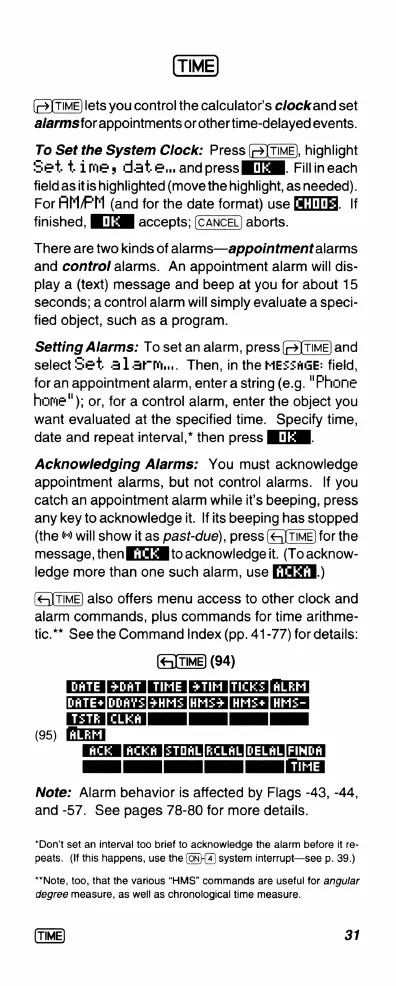
also
offers
menu
access
to
other
clock
and
alarm
commands,
plus
commands
for
time
arithme-
tic.”*
See
the
Command
Index
(pp.
41-77)
for details:
(94)
DATE
i
ln
Ayl
ALEM
[
HM
5=
S
T
I
N
(95)
[(HCK|ACKR
[STOAL[RCLAL{DELAL[FINDA]
I
I
I
N
.
Note:
Alarm
behavior
is
affected
by
Flags
-43, -44,
and
-57.
See
pages
78-80
for
more
details.
*Don’t
set
an
interval
too
brief
to
acknowledge
the
alarm
before
it
re-
peats.
(If
this
happens,
use
the
(ON}{4)
system
interrupt—see
p.
39.)
“*Note,
too,
that
the
various
“HMS”
commands
are
useful
for
angular
degree
measure,
as
well
as
chronological
time
measure.
31

Related product manuals