EasyManua.ls Logo

HP 48G - Page 6

HP 48G
84 pages
Print Icon
To Next Page IconTo Next Page
To Previous Page IconTo Previous Page
Loading...
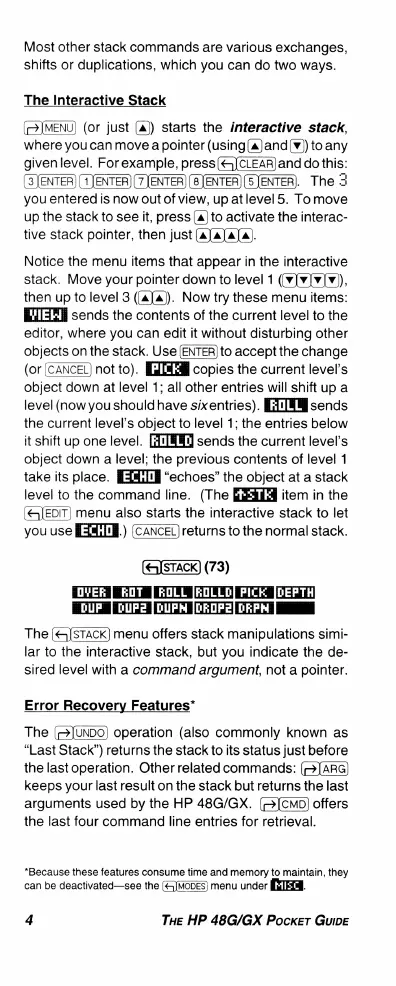
Most
other
stack
commands
are
various
exchanges,
shifts
or
duplications,
which
you can
do
two
ways.
The
Interactive
Stack
(©JMENU)
(or
just
(a))
starts
the
interactive
stack,
where
you can
move
a
pointer
(using(a)and(v))
to
any
givenlevel.
Forexample,
press(&JCLEAR)and
do
this:
(3JENTER] (1]ENTER)
(7JENTER)
JENTER)
[ENTER).
The
3
you
entered
is
now
out
of
view,
up
atlevel
5.
To
move
up
the
stack
to
see
it,
press
(a)
to
activate
the
interac-
tive
stack
pointer,
then
just
(a]a]a]a).
Notice
the
menu
items
that
appear
in
the
interactive
stack.
Move
your
pointer
down
to
level
1
(v]¥]¥]v)),
then
up
to
level
3
((a]a)).
Now
try
these
menu
items:
=T
sends
the
contents
of
the
current
level
to
the
editor,
where
you can
edit
it
without
disturbing
other
objects
on
the
stack.
Use
to
accept
the
change
(or
[CANCEL)
not
to). copies
the
current
level's
object
down
at
level
1;
all
other
entries
will
shift
up a
level
(now
you
should
have
sixentries).
[FTTHM
sends
the
current
level's
object
to
level
1;
the
entries
below
it
shift
up
one
level.
sends
the
current
level’'s
object
down
a
level;
the
previous
contents
of
level
1
take
its
place.
“echoes”
the
object
at
a
stack
level
to
the
command
line.
(The
item
in
the
(JEDIT)
menu
also
starts
the
interactive
stack
to
let
you use
[3HI['}.)
(CANCEL)
returns
to
the
normal
stack.
(73)
[OVER
ROT
ROLL
[ROLLD]
PICK
|DEPTH
T
TT
TGE)
T
The
(&]STACK])
menu
offers
stack
manipulations
simi-
lar
to
the
interactive
stack,
but
you
indicate
the
de-
sired
level
with
a
command
argument,
not
a
pointer.
Error
Recovery
Features*
The
operation
(also
commonly
known
as
“Last
Stack”)
returns
the
stack
to
its
status
just
before
the
last
operation.
Other
related
commands:
(=]ARG)
keeps
your
last
result
on
the
stack
but
returns
the
last
arguments
used
by
the
HP
48G/GX.
offers
the
last
four
command
line
entries
for
retrieval.
*Because
these
features
consume
time
and
memory
to
maintain,
they
can
be
deactivated—see
the
(«<5JMODES)
menu
under
RxlEIN.
4
THE
HP
48G/GX
Pocker
GuiDE

Related product manuals