Chapter 2 | Getting Started | 11
19
20
21
16
17
22
18
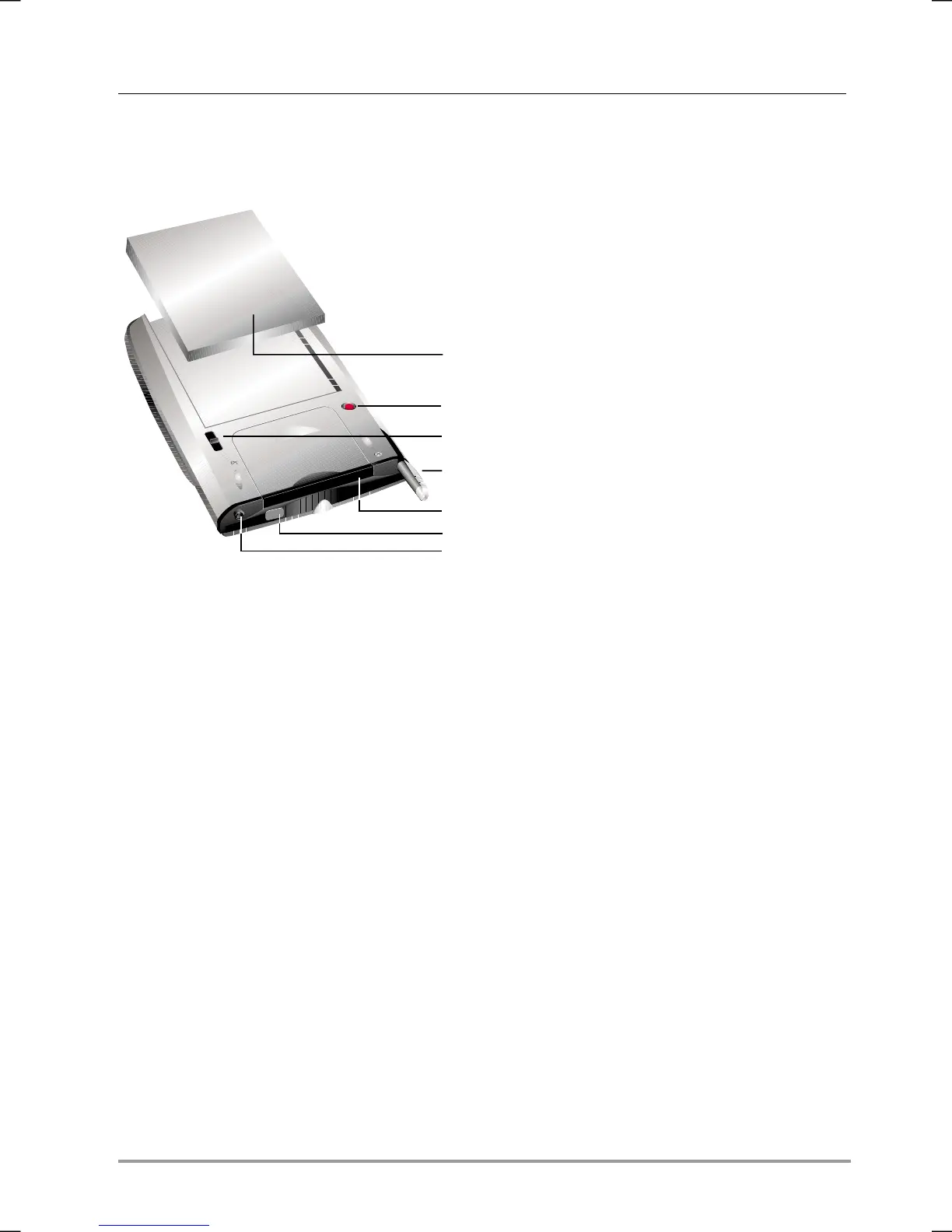
16. Main battery. Recharge the lithium-
polymer main battery by
connecting to ac power.
17. Reset button. Use the stylus to
press the reset button and restart
your hp Jornada.
18. Main battery lock. Slide to enable
removal of the main battery pack.
19. Stylus. Use the stylus to navigate
on the hp Jornada touch screen.
Store it in the stylus slot when not
in use.
20. CompactFlash Type I extended
card slot. Add functionality with
optional CompactFlash Type I or
Type I extended cards.
21. Infrared port. Beam files to other
mobile devices.
22. Stereo headphone jack. Connect
a pair of stereo headphones.


 To Next Page
 Loading...