98 | hp Jornada 560 series personal digital assistant User’s Guide
Calendar: Scheduling Appointments and
Meetings
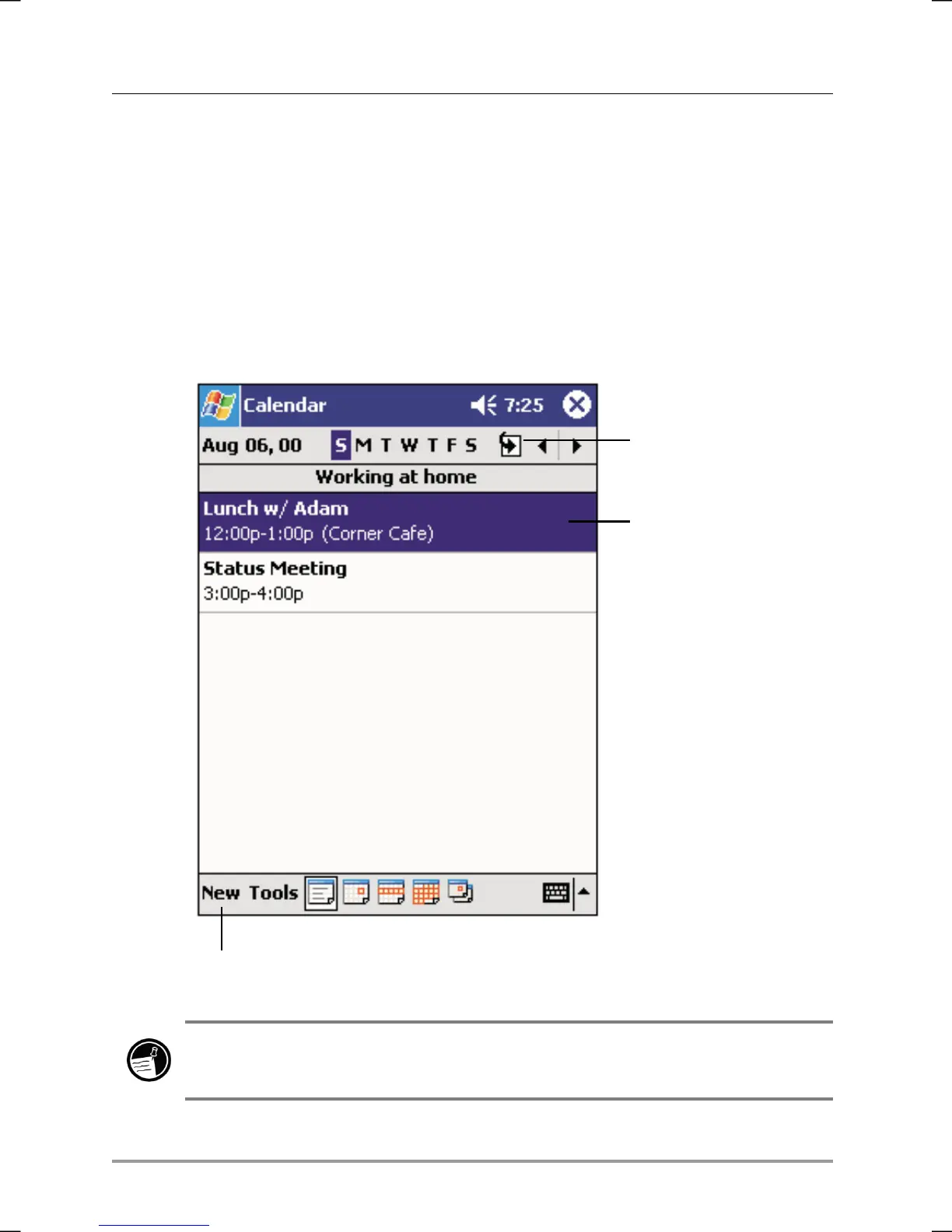
Use Calendar to schedule appointments, including meetings and other
events. You can check your appointments in one of several views (Agenda,
Day, Week, Month, and Year) and easily switch views by using the View
menu.
Tap to go to today.
Tap to display or edit
the appointment details.
Tap to create a new appointment.
You can customize the Calendar display (for example, change the first day of
the week), by tapping Options on the Tools menu.


 To Next Page
 Loading...