Chapter 2 | Getting Started | 17
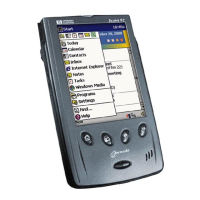
The features associated with each button are described below. In addition,
most buttons can be reassigned or configured to start a program that you
designate. For more information, see “Configuring Hardware Buttons” in
chapter 6.
Notification Button/LED
• A blinking green LED indicates an alarm or reminder.
• When your hp Jornada is connected to ac power, a solid green LED
indicates that the main battery is fully charged.
• A blinking amber LED indicates that your hp Jornada is on; however,
the display is off. Press and hold the notification button/LED to turn the
display on again.
• A solid amber LED indicates that your hp Jornada is recording a voice
note.
• While your hp Jornada is connected to ac power, an amber LED may
also indicate that the main battery is charging.
• Press the notification button/LED to acknowledge an alarm or
reminder and to silence the alarm.
• Press and hold the notification button/LED to turn off the display.
Up/Down Control
• Press the up/down control to scroll through documents or to highlight
items in a list.
Record Button
• Press and hold the record button to turn on your hp Jornada and begin
recording a voice note. If the speaker is not muted, a beep indicates
that recording has started.
• Release the record button to stop recording. If the speaker is not
muted, a double beep indicates that recording has stopped.


 To Next Page
 Loading...