SVC 6-13
` Remove/Replace Split-Splitless/Split-Only Capillary Inlet Heater and Sensor
Cartridges
PERFORM THE PROCEDURE FOR DISCONNECTING/CONNECTING HEATER AND
TEMPERATURE SENSOR WIRING ON MAIN PCB BEFORE PERFORMING THIS
PROCEDURE.
1. Allow time for the oven and heated zones to cool.
2. At the bottom of the inlet, inside the column
oven, remove the column and hardware asso-
ciated with the inlet (liner, column/liner nuts,
ferrules, makeup gas adapter, etc.).
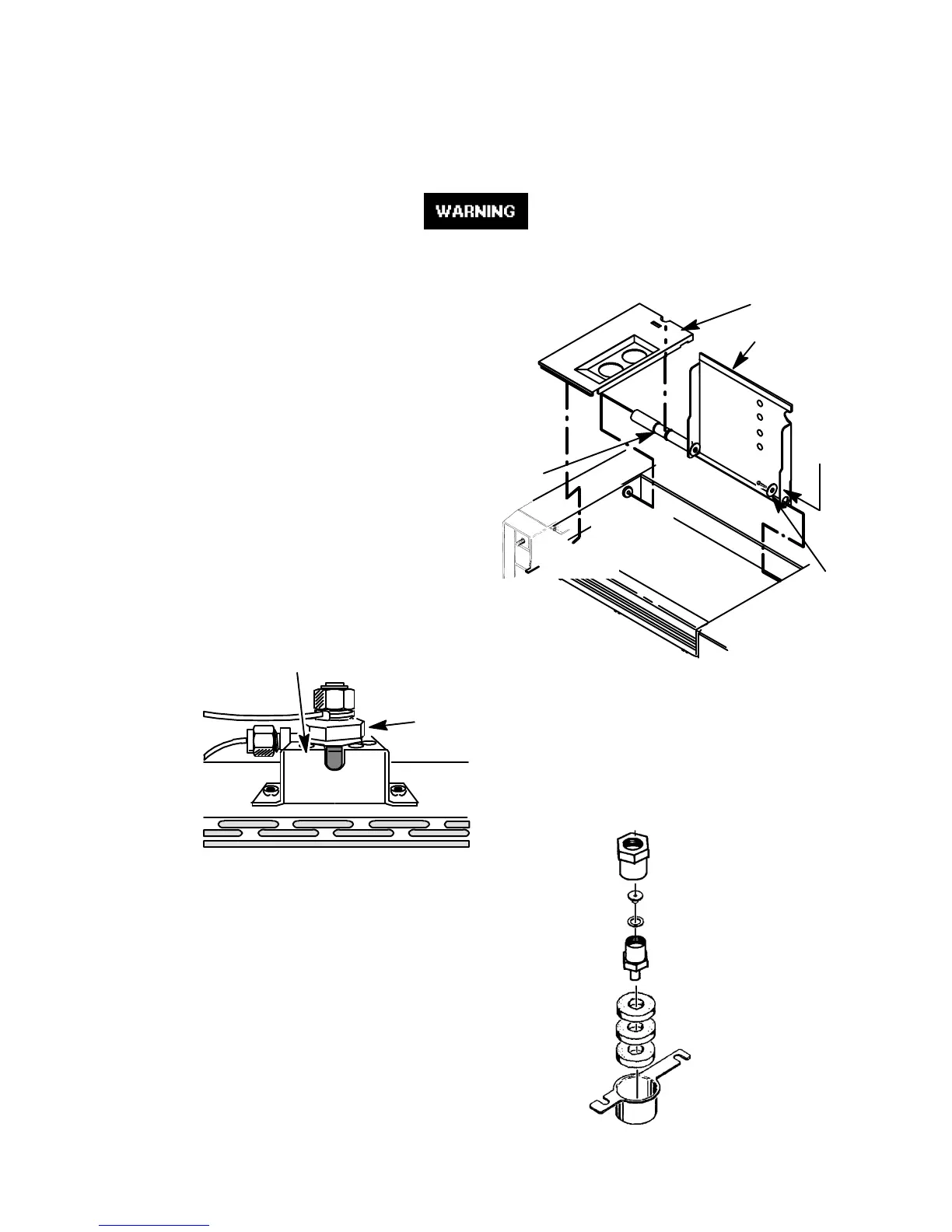
3. Remove the injection port cover by grasping its
back edge and lifting it upward.
4. Remove any insulation from around the top of
the inlet.
5. Detach and remove the insert assembly from
the shell weldment using a ???-inch wrench.
6. Detach and remove the tubing nut from the fit-
ting on the shell weldment.
7. Loosen the two screws securing the insulation
cover inside the column oven.
8. Rotate the cover, freeing it from its securing
hardware, and remove the cover and three
pieces of lower insulation.
9. Remove the reducing nut, flat washer, and
anealed seal, using a 1/2-inch wrench.
10. Use a 3/4-inch wrench to loosen (but not re-
move) the retaining nut below the heated block.
1/4-INCH
SCREW
AND
WASHER
INJECTION PORT COVER
TOP COVER
PRESS
HERE TO
FREE
COVER
LID SHAFT
INSERT
ASSEMBLY
SHELL WELDMENT
LOWER
INSULATION
LOWER
INSULATION
COVER
REDUCING
NUT
FLAT
WASHER
RETAINING
NUT
Artisan Scientific - Quality Instrumentation ... Guaranteed | (888) 88-SOURCE | www.artisan-scientific.com


 To Next Page
 Loading...