accessories
hp digital copier series
30
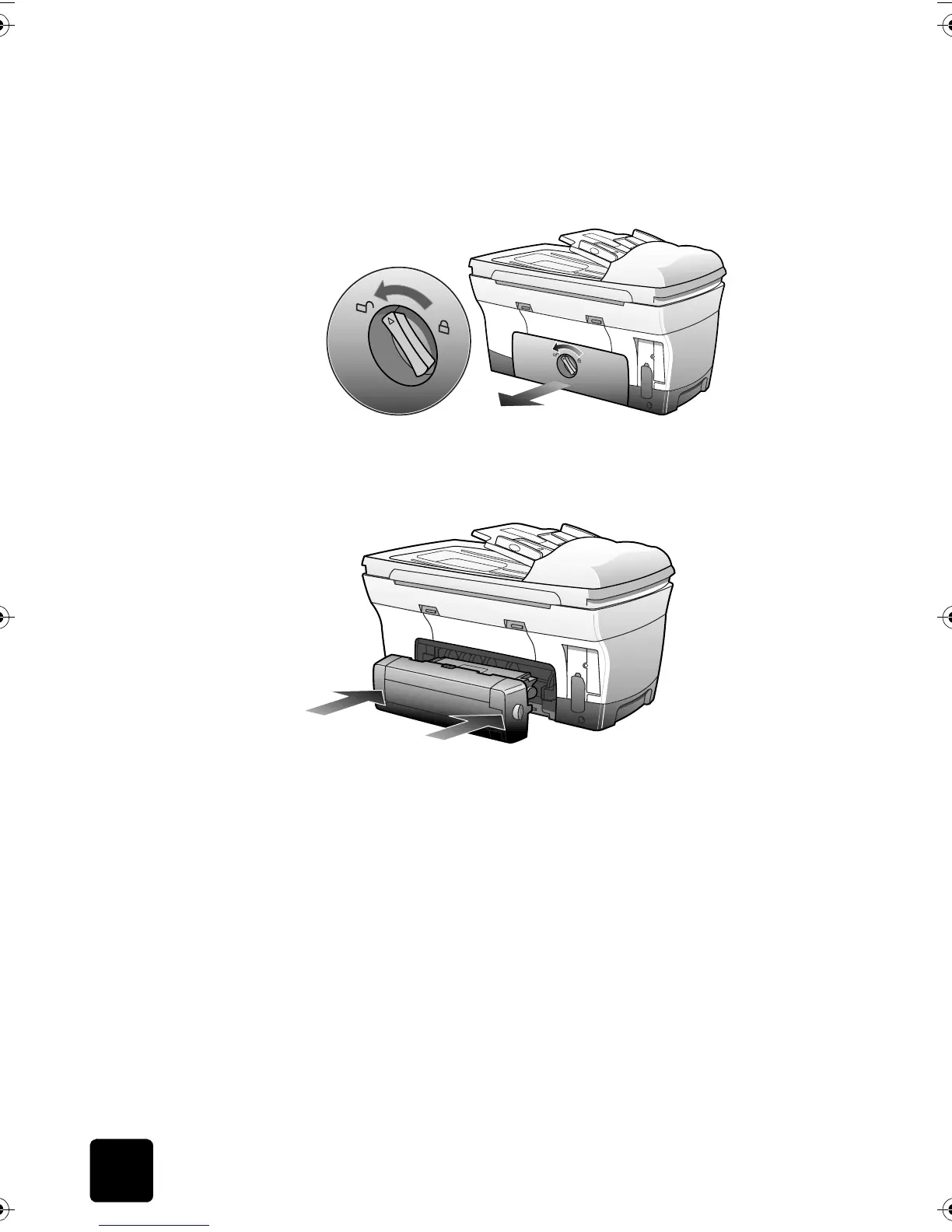
Tip! Put the rear access door in a safe place. If you decide to
remove the two-sided printing accessory in the future, you
must replace the rear access door for your HP Digital Copier
to operate.
2
Insert the two-sided printing accessory into the back of the unit.
Tip! Turn the two-sided printing accessory so the button is on
top.
optional hp 250-sheet plain paper tray
assemble the
250-sheet
plain paper
tray
1
Unpack the accessory and the inner tray.
2
Remove the inner tray.
GwenRG.book Page 30 Thursday, January 31, 2002 5:20 PM






 To Next Page