maintain your digital copier
37
hp digital copier series
verify a
printhead needs
to be replaced
If a printhead error message appears on the front-panel display, verify that
the printhead needs to be replaced.
1
Turn the unit off and then turn it on.
If the error message still appears, continue with the following steps.
2
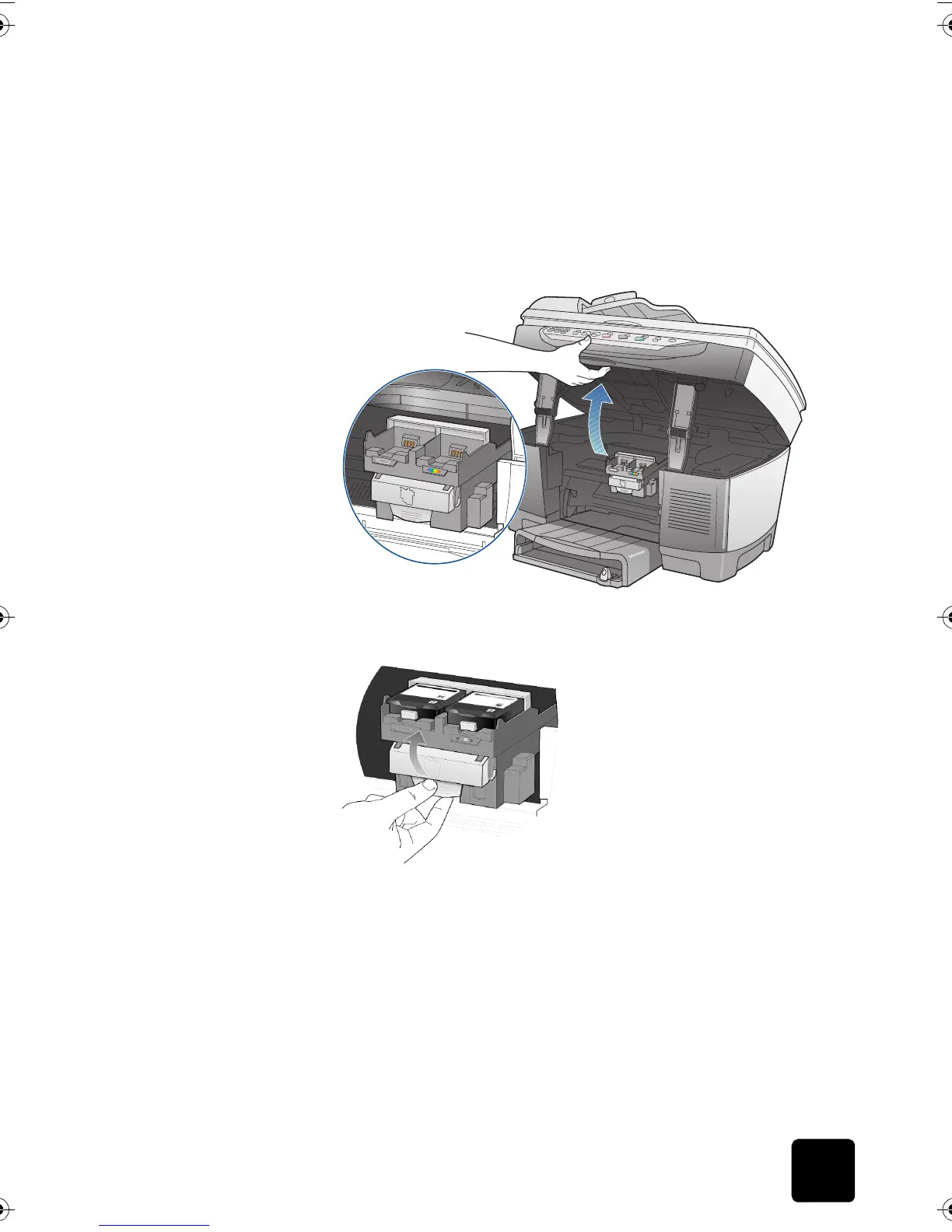
Open the print-carriage access door by lifting the handle until the
door locks into place.
The print carriage will move to the center of the copier.
3
After the print carriage stops moving, release the gray print carriage
latch and then lift the print carriage to access the printheads.
4
Remove the old printhead by lifting the printhead handle and pulling
upward.
GwenRG.book Page 37 Thursday, January 31, 2002 5:20 PM






 To Next Page