maintain your digital copier
39
hp digital copier series
2
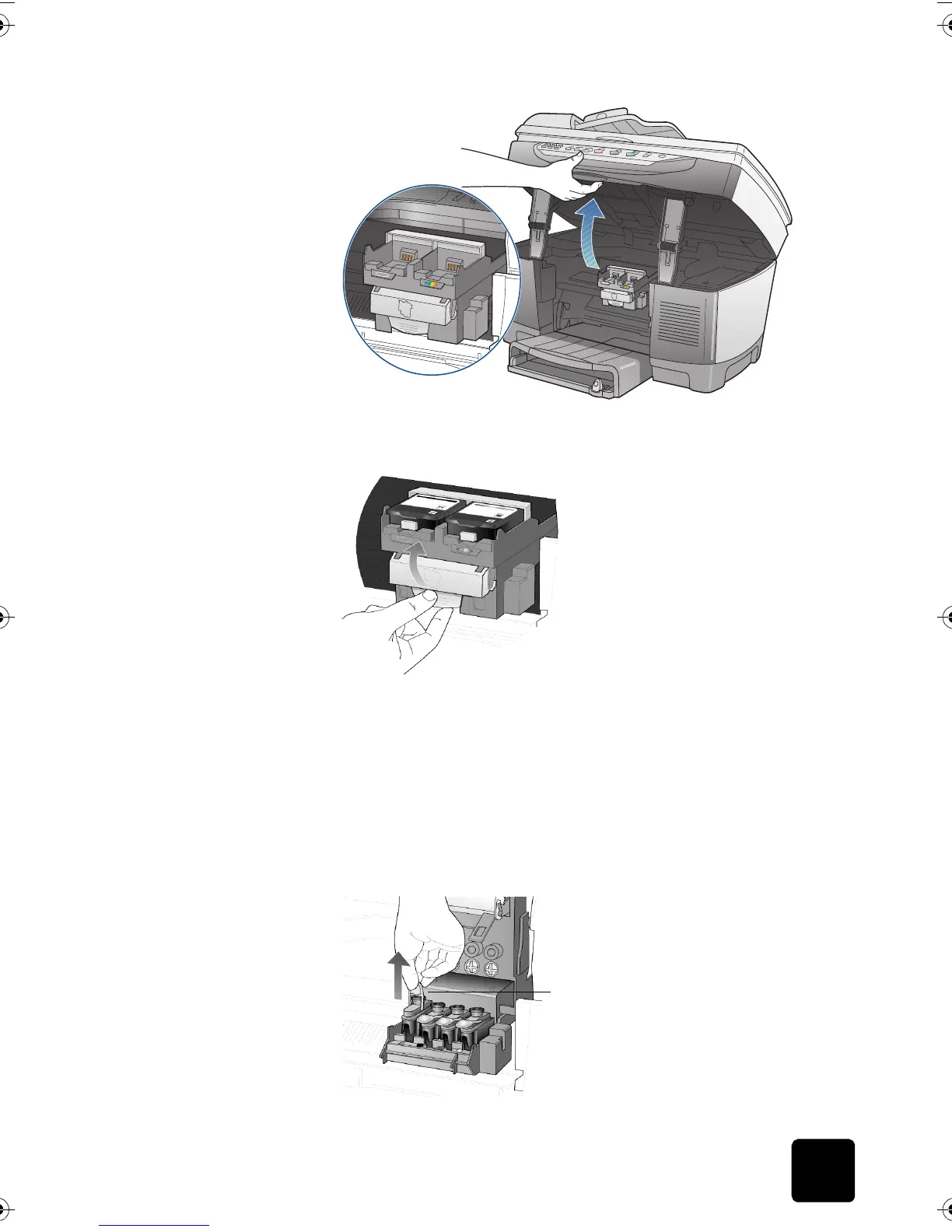
After the print carriage stops moving, release the gray print carriage
latch and then lift the print carriage to access the printheads.
Caution! To avoid damaging the copier, remove a printhead
only when a replacement is available. If a printhead is
removed without being replaced:
– Close the print carriage and the print-carriage access door.
– Replace the printhead within 24 hours.
– Never remove an ink cartridge and a printhead at the same time.
3
Remove the old printhead by lifting the printhead handle and pulling
upward.
Pull the printhead handle upward
GwenRG.book Page 39 Thursday, January 31, 2002 5:20 PM






 To Next Page