22
4 Adjusting the Settings
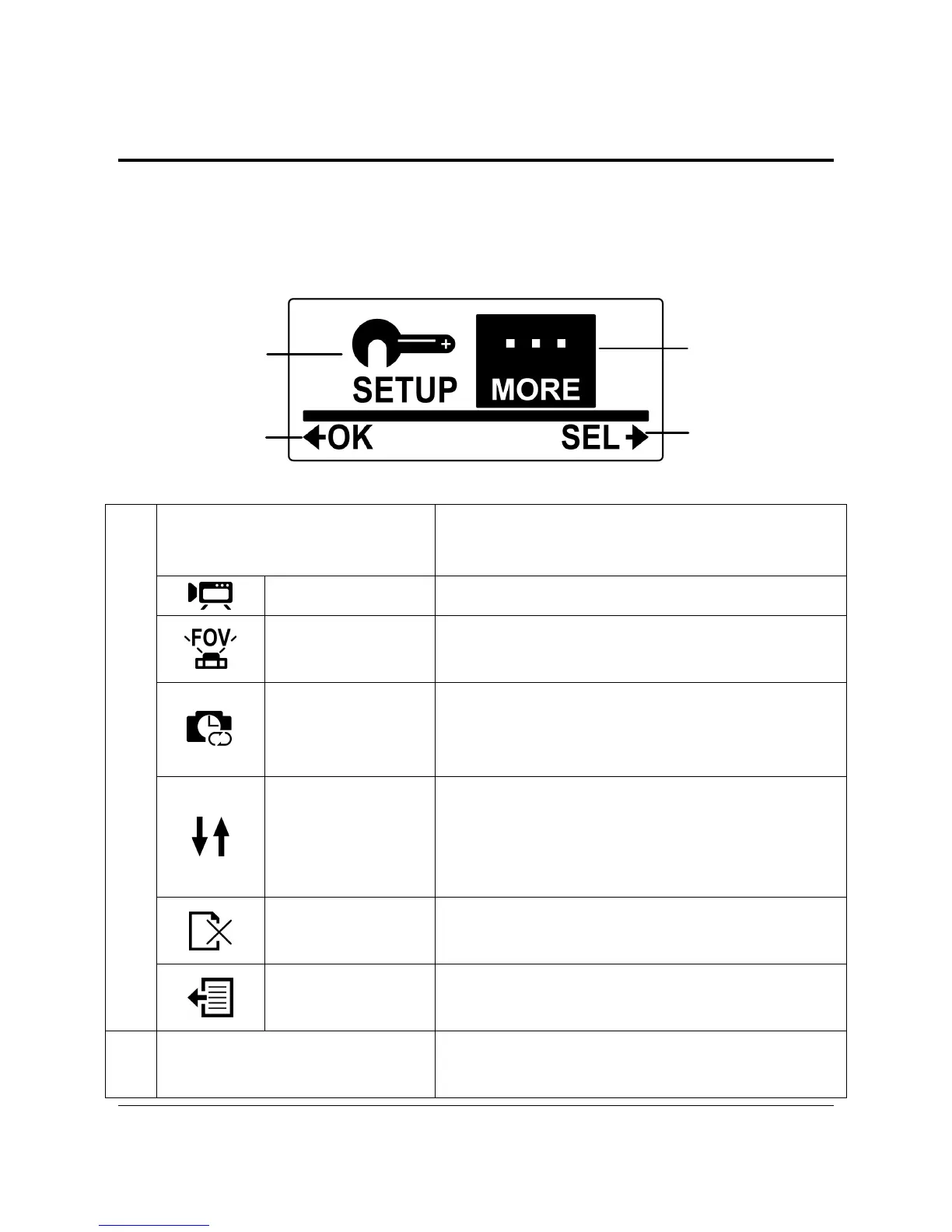
To adjust the camcorder settings, press the Mode button repeatedly to
switch to Set mode and then press the Shutter button to confirm. The
screen below is displayed:
1
2
4
3
SETUP Menu
Select SETUP to adjust capture
settings.
Video Select to adjust the video resolution.
FOV
Select to adjust the field of view of the
camera.
Time Lapse
Select to adjust the interval time
between capturing photos in Time
Lapse mode.
Up/Down
Select to set the camcorder direction
upside down. This feature is useful
when using the camcorder as a vehicle
recorder.
Delete
Select to delete captured videos or
photos from the micro SD card.
1
Exit
Select to close the SETUP menu and
return to the previous menu screen.
2
MORE Menu
Select MORE to adjust basic camera
settings.



 To Next Page