31
4.7 LED
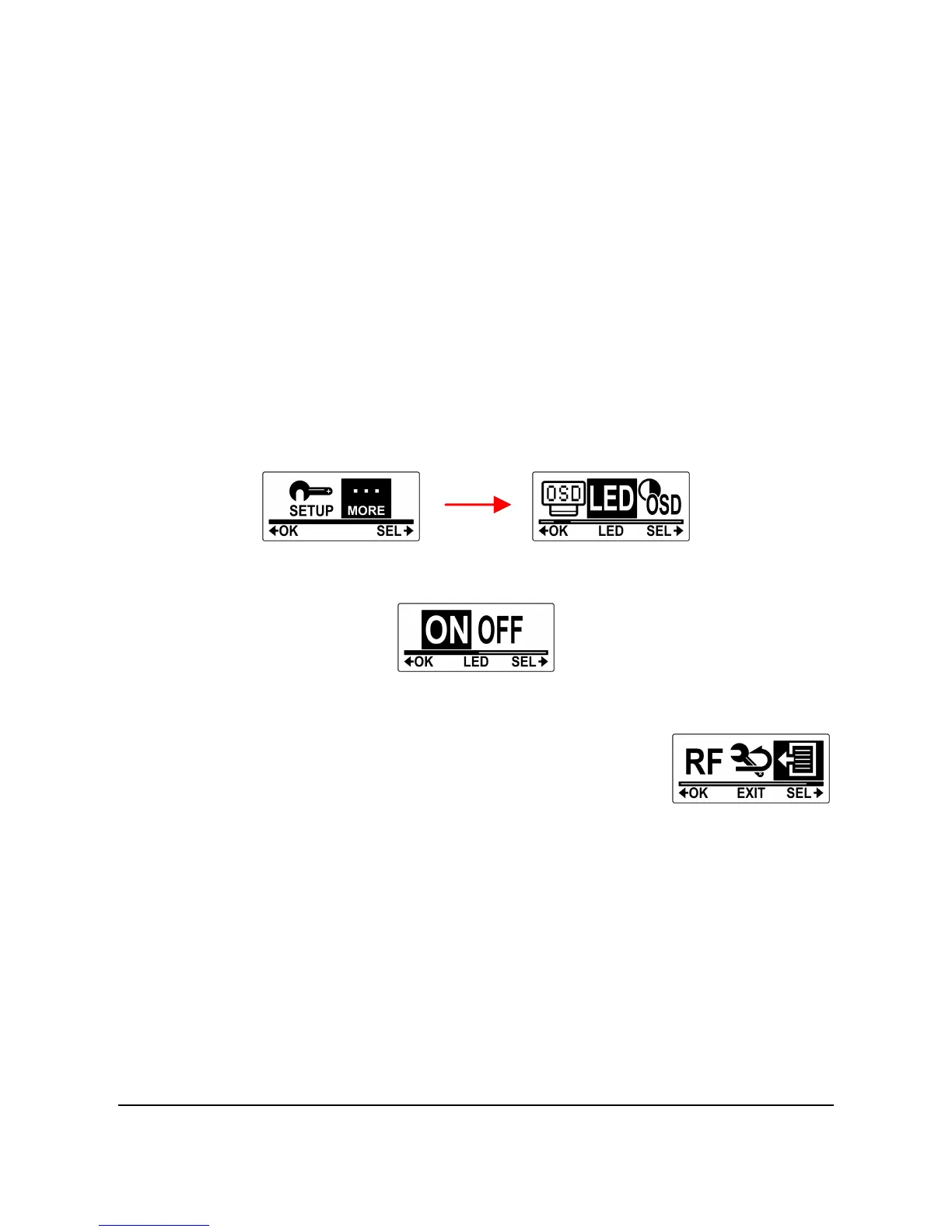
This menu allows you to turn the status LEDs on or off.
Do the following to turn the LED on or off.
1. Press the Mode button repeatedly to change to SET mode.
2. Press the Shutter button to enter SET mode.
3. Press the Shutter button to enter the MORE menu.
4. Press the Mode button to highlight LED.
5. Press the Shutter button to enter the LED submenu.
6. Press the Mode button to select ON or OFF.
7. Press the Shutter button to confirm.
8. To exit the menu, press the Mode button
repeatedly until the EXIT screen appears.
9. Press the Shutter button to exit SET mode.



 To Next Page