27
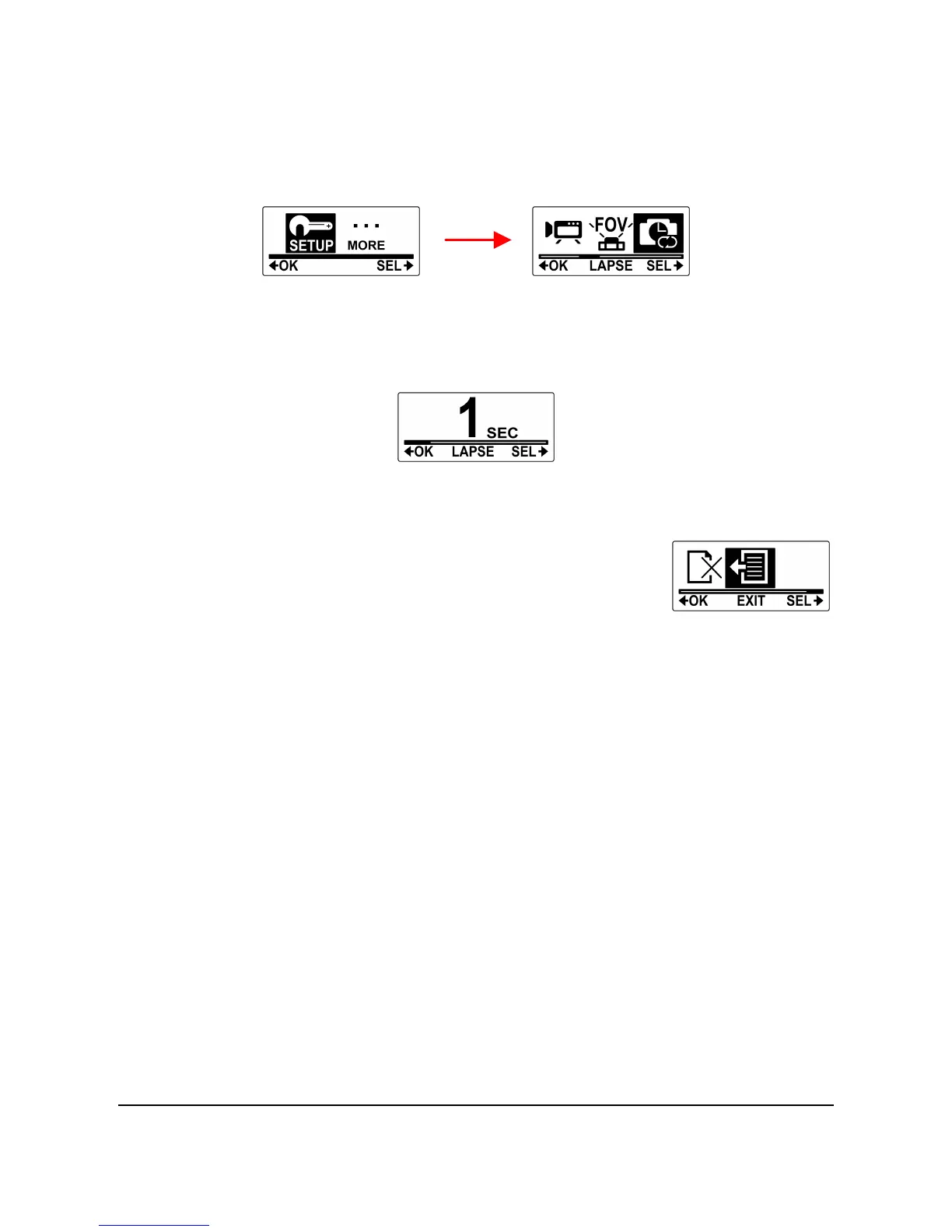
5. Press the Mode button to highlight LAPSE.
6. Press the Shutter button to enter the LAPSE submenu.
7. Press the Mode button repeatedly to scroll through the
shooting interval options: 1 SEC, 3 SEC, 5 SEC, 10 SEC,
30 SEC, and 60 SEC.
8. Press the Shutter button to confirm.
9. To exit the menu, press the Mode button
repeatedly until the EXIT screen appears.
10. Press the Shutter button to exit SET
mode.
4.4 Up/Down
This menu allows you to capture videos and photos upside down. You
can enable this feature when you mount the camera upside down so
that the captured shots appear right side up when you review it on your
computer or TV.
Do the following to enable this feature.
1. Press the Mode button repeatedly to change to SET mode.
2. Press the Shutter button to enter SET mode.
3. Press the Mode button to highlight SETUP.
4. Press the Shutter button to enter the SETUP menu.



 To Next Page