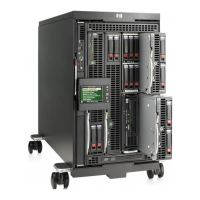
Fan & power supply bay numbering
Rack power supply bay numbering
Fan bay numbering
Power supplies and fans must be placed in the following bays
Number of Fans
Fan Bays Used
4
2,4,5, 6
6
All bays filled
Number of Power Supplies
(for PS Redundant or non-redundant
mode)
Power Supply Bays Used
2
1 & 2
3
1, 2, & 3
4
1, 2, 3, & 4
5
1 through 5
6
All bays
Number of Power Supplies
(for AC Redundant mode)
Place Power Supplies in Bays:
2
1 & 4
4
1, 2, 4, & 5
6
All bays filled
NOTE:
With four fans, the enclosure will support only 4 half-height server blades in the bottom half of the enclosure device bays. With
six fans, all 8 server bays may be filled.
NOTE:
For correct operation, fans and server blades must be installed in the correct bays. The Onboard Administrator will ensure that
fans and blades are correctly placed before allowing the system to power on.
QuickSpecs
HP BladeSystem c3000 Enclosure
Server Blade, Expansion Blade, and Fan Population Guidelines
DA - 12790 North America — Version 55 — December 10, 2013
Page 26


 To Next Page
 Loading...