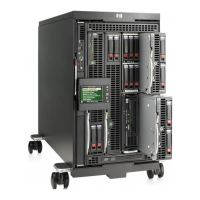
The c3000 enclosure is divided into 2 zones by the horizontal support metalwork. The lower zone (zone 1) includes bays 1, 2, 5, and 6.
The upper zone (zone 2) contains bays 3, 4, 7, and 8. Within each zone a removable bay divider is used to support half-height devices.
To install a full-height blade in either zone this bay divider must be removed.
NOTE:
Please read the RTF card (included with each c3000 enclosure) and the "HP BladeSystem c3000 Setup and Installation Guide" for
more information on the use, installation, and removal of bay dividers.
Half-height server blade bay numbering
HP BladeSystem c3000 Enclosure – Racks
1.
Device Bay 1
2.
Device Bay 2
3.
Device Bay 3
4.
Device Bay 4
5.
Device Bay 5
6.
Device Bay 6
7.
Device Bay 7
8.
Device Bay 8
NOTE:
Half-height server blades should be populated from the bottom half of the enclosure, in the following order (bays 1, 5, 2, 6, 3, 7,
4, & 8)
QuickSpecs
HP BladeSystem c3000 Enclosure
Server Blade, Expansion Blade, and Fan Population Guidelines
DA - 12790 North America — Version 55 — December 10, 2013
Page 27


 To Next Page
 Loading...