6–4 437963-001 Service Reference Guide, dc5750
Removal and Replacement Procedures— Microtower (MT) Chassis
6.3 Access Panel
1. Prepare the computer for disassembly (Section 6.1).
Ä
CAUTION: Before removing the computer access panel, ensure that the computer is turned off and that
the power cord is disconnected from the electrical outlet.
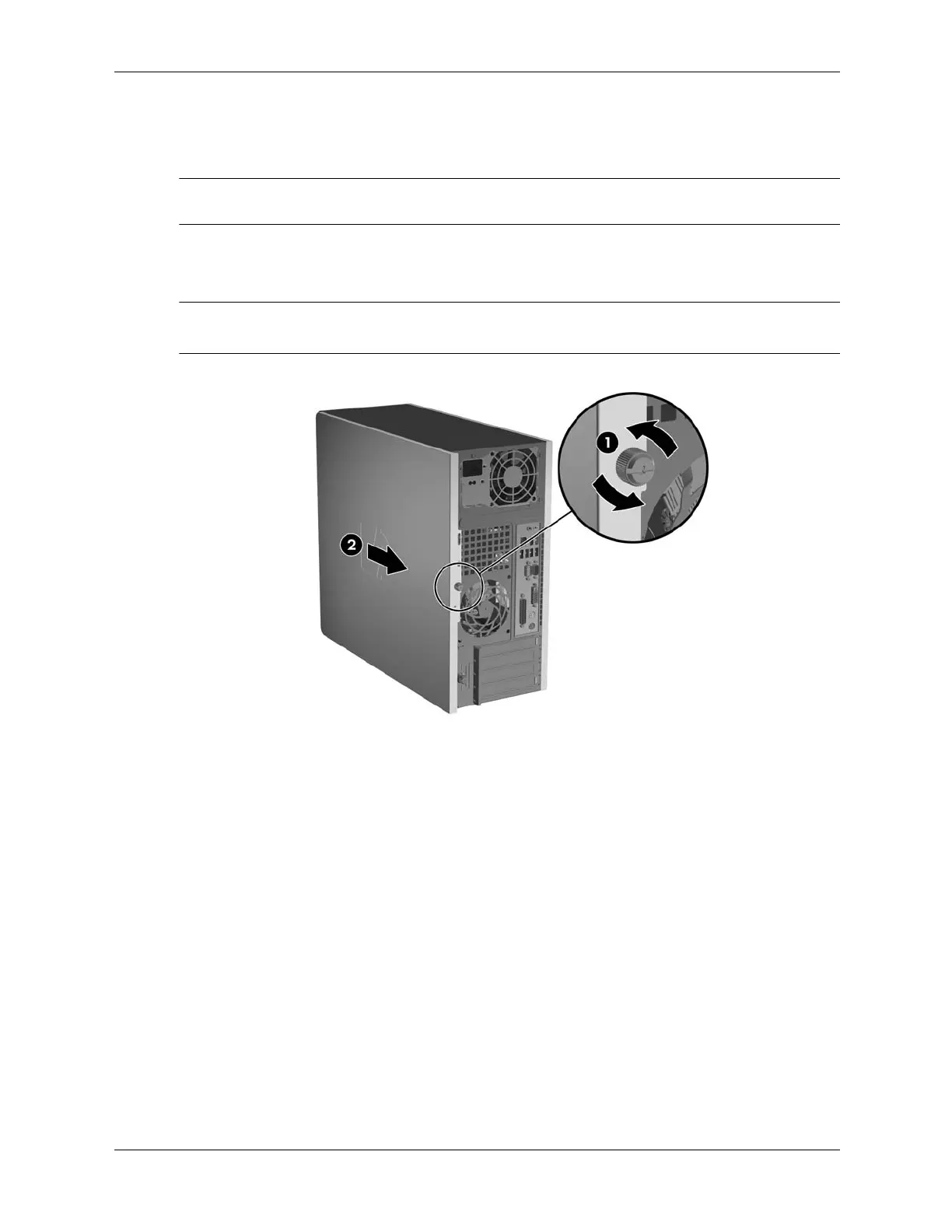
2. Loosen the captive thumbscrew 1 that secures the access panel to the computer chassis.
3. Slide the access panel 2 back about 1.3 cm (1/2 inch), then lift it off the unit.
✎
You may want to lay the computer on its side to install internal parts. Be sure the side with the
access panel is facing up.
To install the access panel, reverse the removal procedure.








 To Next Page