HPE Aruba Networking CX 6300 Switch Series | Installation and Getting Started Guide 14
There is a single serial console port on the switch, using a USB Type-C connector. This port is used to connect a
console to the switch. Use a common USB to USB-C cable (must be data capable). A USB-A Bluetooth adapter
(separately orderable, SKU# S1H23A) is available to provide an alternative way of managing and configuring your
switch using a mobile app. The console can be a PC or workstation running a VT-100 terminal emulator, or a VT-100
terminal.
R8S89A, R8S90A, R8S91A, R8S92A, S0E91A, S0X44A
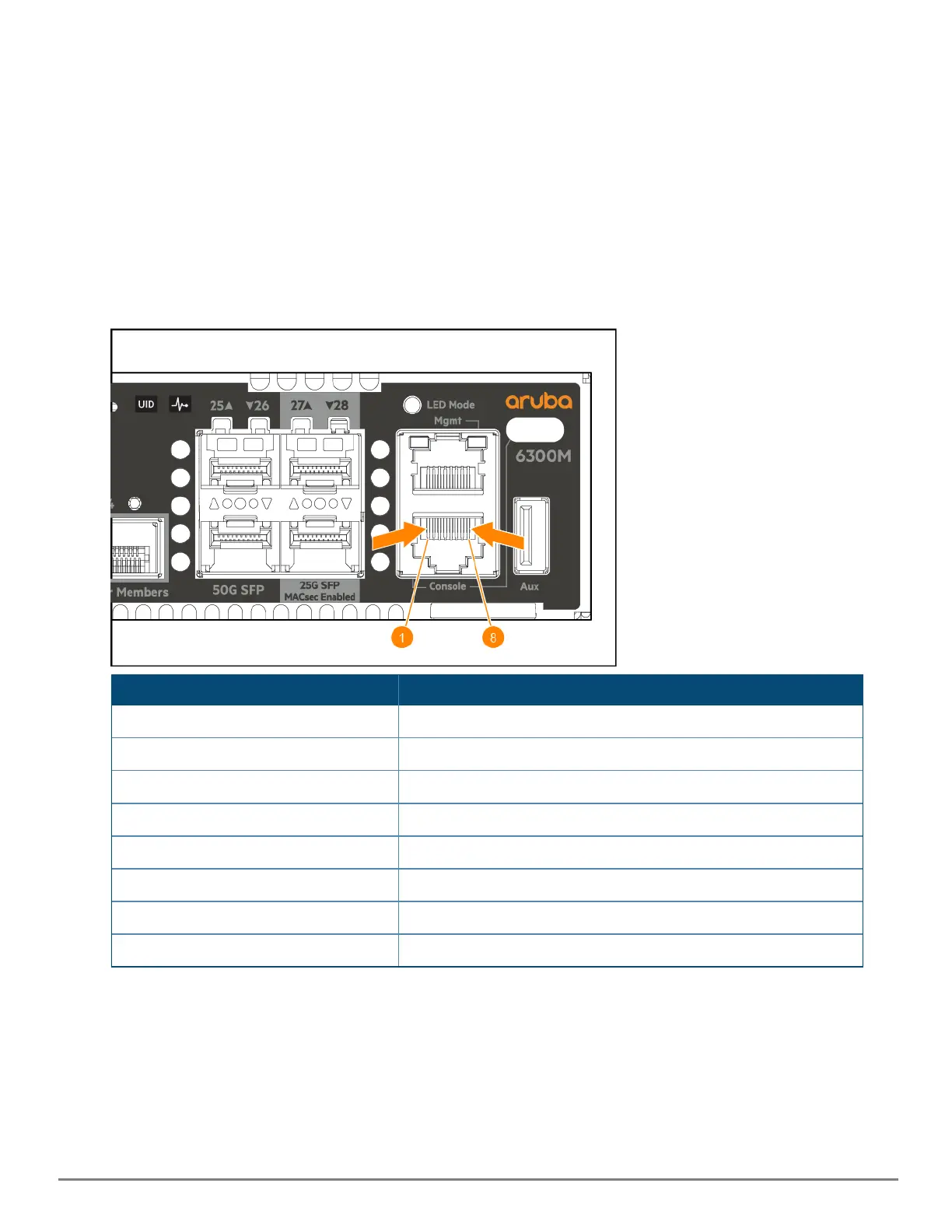
These switch models includes an RJ-45 serial console port on the front of the switch. This port is used to connect a
console to the switch by using an RJ-45 serial cable (not supplied). A DB9-to-RJ-45 console cable can be ordered from
HPE: JL448A, HPEAruba Networking X2C2 RJ45 to DB9 Console Cable. The switch also has a USB-C console port on
the front of the switch. The USB-C has precedence for input. If both cables are plugged in, the console output is
echoed to both the RJ-45 and the USB-C, but the input is only accepted from the USB-C.
RJ45 Pinout
Reserved 1
Reserved 2
TXD 3
Reserved 4
GND 5
RXD 6
Reserved 7
Reserved 8
Auxiliary port
An auxiliary port is available for downloading switch software code. This port uses a USB Type-A connector.
Switch and port LEDs on front of the switches










 To Next Page