Introducing the switches | 15
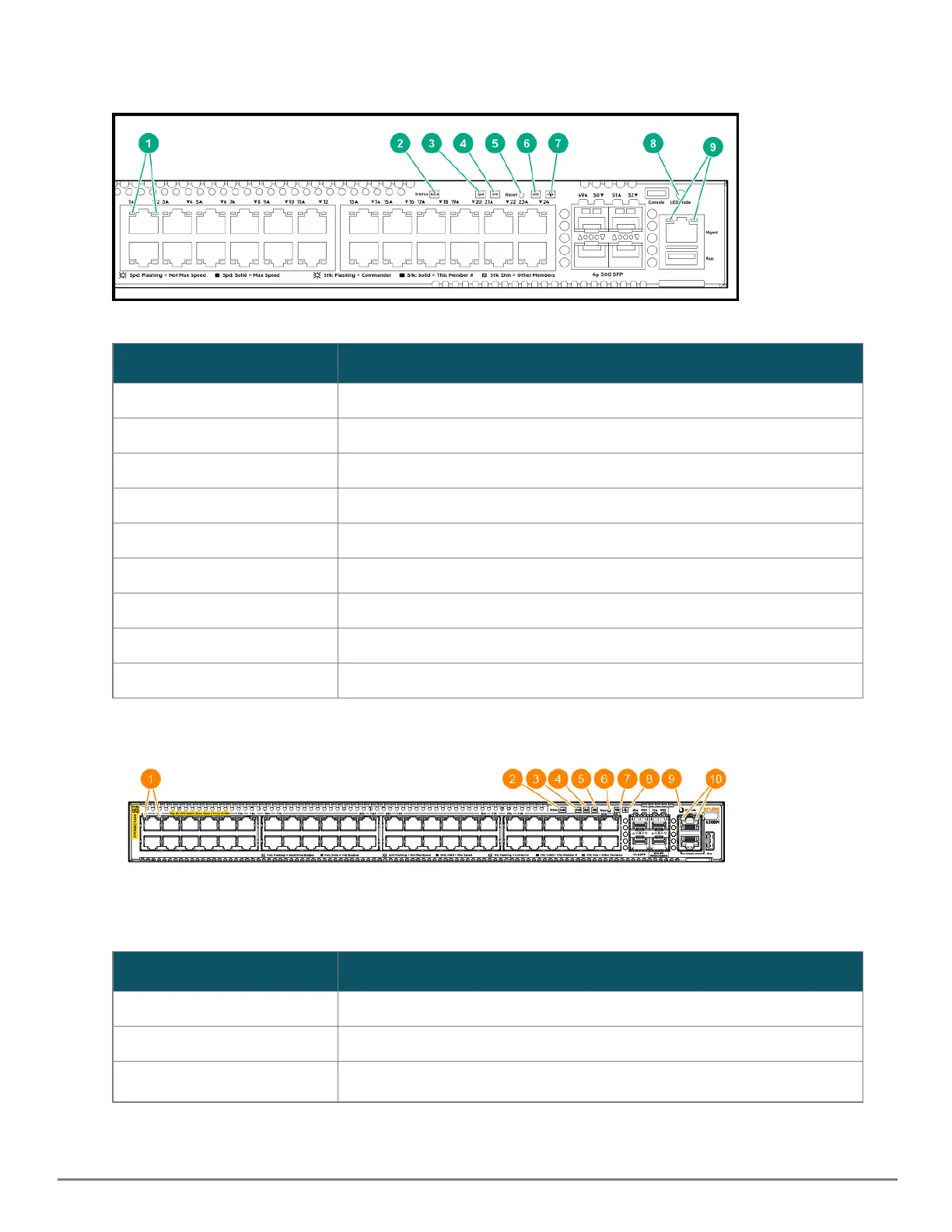
Figure 4 Switch and port LEDs for JL658A, JL659A, JL660A, JL661A, JL662A, JL663A, JL664A, JL665A, JL666A, JL667A,
JL668A, and JL762A
Label
Description
1 Switch port LEDs
2 Back Module status LED
3 Speed mode selected LED
4 Stk LED
5 Reset button
6 UID (Unit Identification)
7 Global Status LED
8 Mode select button
9 OOBM port LED
Table 5: Switch and Port LEDs: Labels and Description
Figure 5 Switch and port LEDs for R8S89A, R8S89A, R8S89A, R8S89A, S0E91A, and S0X44A
Label
Description
1 Switch port LEDs
2 Back Module status LED
3
PoE LED
Table 6: Switch and Port LEDs: Labels and Description










 To Next Page