HPE Aruba Networking CX 6300 Switch Series | Installation and Getting Started Guide 33
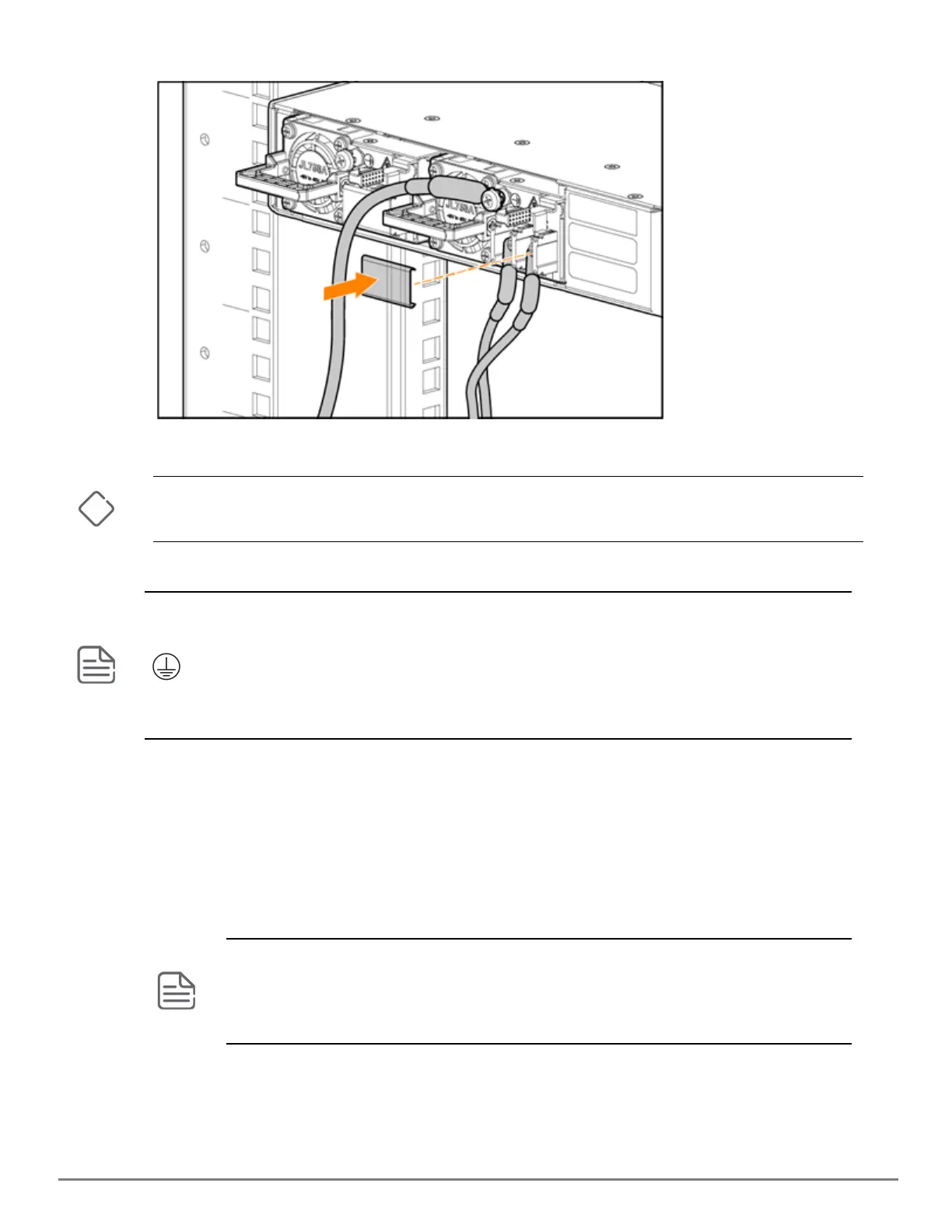
6. Reinstall the transparent protective cover on the DCinput connector of the power supply.
7. Connect the other end of the DCcable to a DC source following the correct polarity.
Do not move the unit with the power supply after the DCcables are installed.
Do not remove the DC power supply from the unit with the DCcable installed or the DC source turned on.
Grounding is required for DCpower supplies and systems.
The DCpower inlet in the power supply has two terminals labeled +DC and -DC and has a screw marked with
symbol to connect to earth ground. The DCpower inlet has a clear plastic cover.
Unplugging the DCPSUfrom the system when the PSUis powered is not supported. The DCinput power
source has to power off before removing the DCPSUfrom the system.
Verify the switch boots correctly
Before installing the switch in its network location, plug it into a power source and verify that it boots correctly.
Procedure
1. Connect the power cord supplied with the switch to the power connector on the back of the switch. Then plug
the power cord into a properly grounded electrical outlet.
The switches do not have a power switch. They are powered on when the power cord is connected to the
switch and to a power source. For safety, locate the power outlet near the switch installation.
If your installation requires a different power cord than the one supplied with the switch, be sure to use
a power cord displaying the mark of the safety agency that defines the regulations for power cords in
your country/region. The mark is your assurance that the power cord can be used safely with the switch.










 To Next Page