21
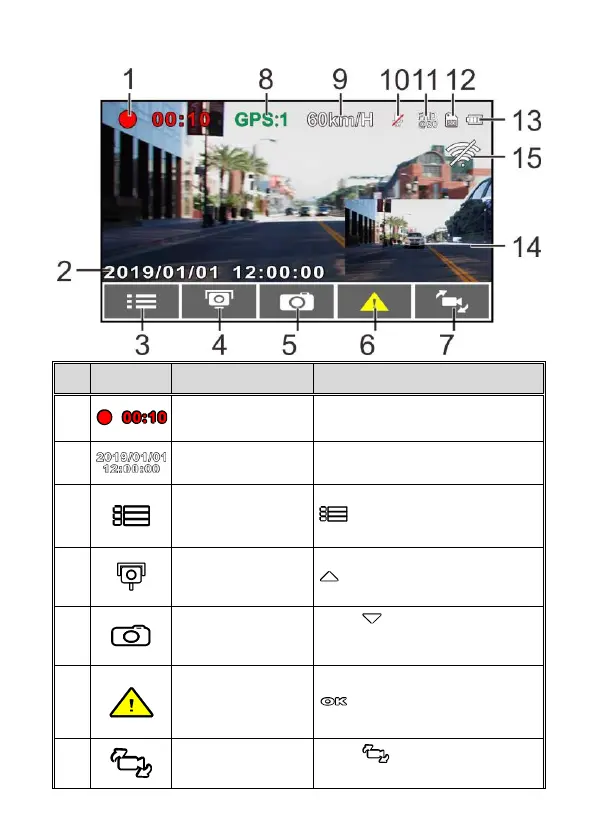
3.1.1 The Recording Screen
Indicates the video current
duration.
Indicates the current recording
date and time.
During video recording, press the
button to enter the OSD
menu.
During video recording, press the
button to add a speed cam
point.
PIV (Picture in
Video) Button
Press to capture video
screen shots from the front
camera.
Emergency
Recording Button
During video recording, press the
button to enter emergency
recording mode.
Press to switch VIV screen.
(Rear Camera is not included in



 To Next Page