35
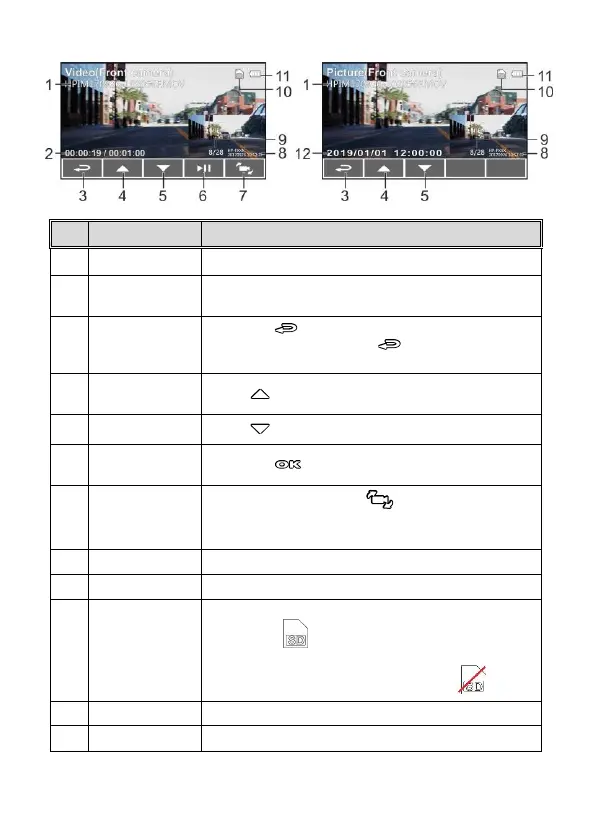
3.8.1 The Playback Screen
Duration/ Total
recorded time
Indicates the video elapse time/ Indicates total
recorded time
Press the button to return preview screen of
video or picture. Press the button repetitively
to return recording screen.
Press button to view previous file.
Press button to view next file.
Press the button to play or pause the video.
In playback mode, press button to switch files
with dual lens recording file. (Rear Camera is
optional.)
Indicates date and time stamp
Current file / total file number
When a compatible micro SD memory card is inserted, the
LCD displays .
If no memory card is inserted or if the memory card is
damaged / incompatible, the LCD displays
Indicates the estimated remaining battery power.
Date and time of photo taking



 To Next Page