49
Section 4
Display Control
Owing to Continuous Memory, when you turn on your HP-10C, the display
setting will be the same as it was before you last turned off the calculator.
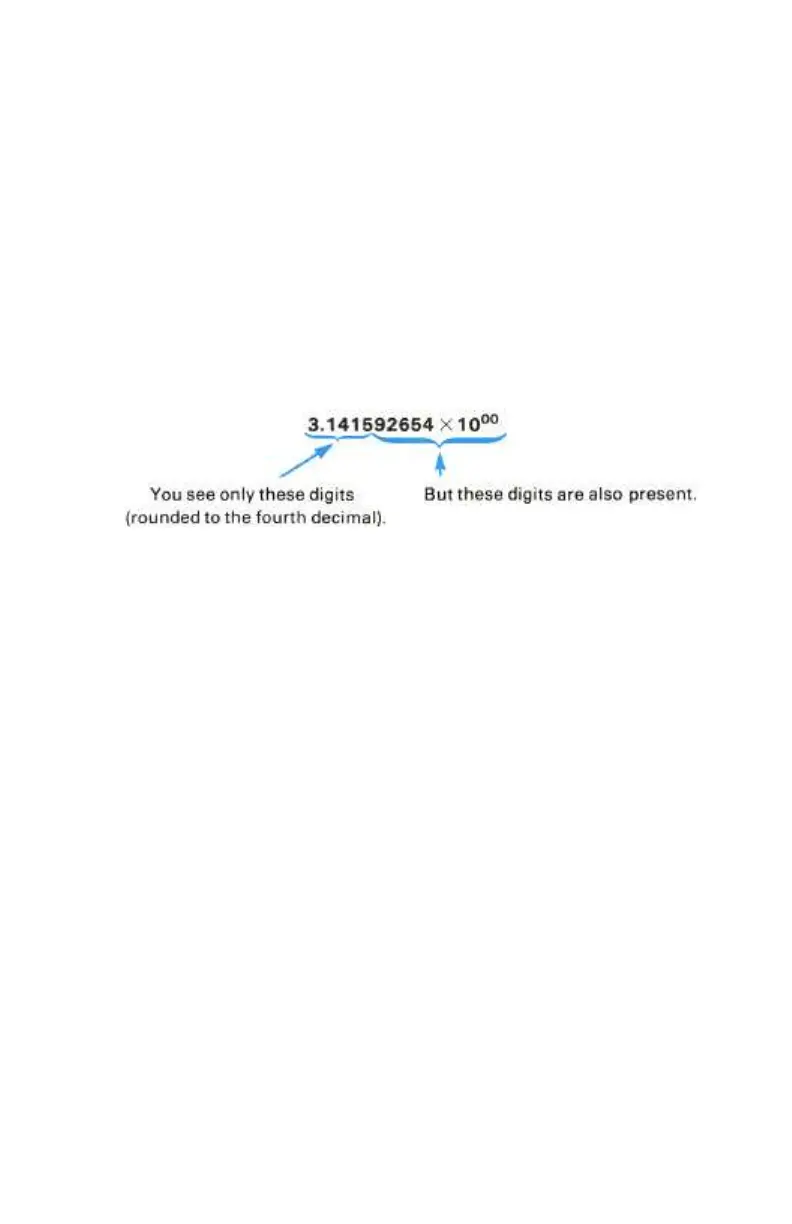
Regardless of the display options in effect, the HP-10C always internally
represents each number as a 10-digit mantissa and a two-digit exponent of 10.
Thus when the calculator is set to display only four digits past the decimal
point, the fixed constant π is always represented internally as 3.141592654 ×
10
00
.
Display Mode Control
Your HP-10C has three display modes—•, i, and ^—that use a
specified constant (0 through 9) to specify display setting. The illustration
below shows how the number 123,456 would be displayed by a four-digit
setting in each of the three types of modes.
Keystrokes Display
´•4
123.456.0000
´i4
1.2346 05
´^4
123.46 03
´•4
123,456.0000
Fixed Decimal Display
• (fixed decimal) displays numbers using a fixed decimal mode without
exponents. In any • display setting, the calculator will automatically switch
to i mode to allow viewing of a displayed number that is too large or too
small to be viewed in the current • mode.



 To Next Page
 Loading...










