71
Section 6
Branching and Looping
Although the instructions in a program normally are executed in order of their
program line numbers, in some situations it is desirable to have program
execution transfer or “branch” to a program line that is not the next line in
program memory. Branching also makes it possible to automatically execute
portions of a program more than once—a process called “looping.”
Simple Branching
The t (go to) instruction is used in a program to transfer execution to any
program line. The program line desired is specified by keying its two-digit line
number into the program line containing the t instruction. When the t
instruction is executed, program execution branches or “goes to” the program
line specified and then continues sequentially as usual.
You have already seen a common use of branching: the t 00 instruction
(that is stored in program memory after the program you key in) transfers
execution to program line 00. A t instruction can be used to branch forward
as well as backward in program memory. Backward branching is typically done
to create loops (as described next); forward branching is typically done in
conjunction with an £ or ~ instruction for conditional branching (as
described afterward).
Looping
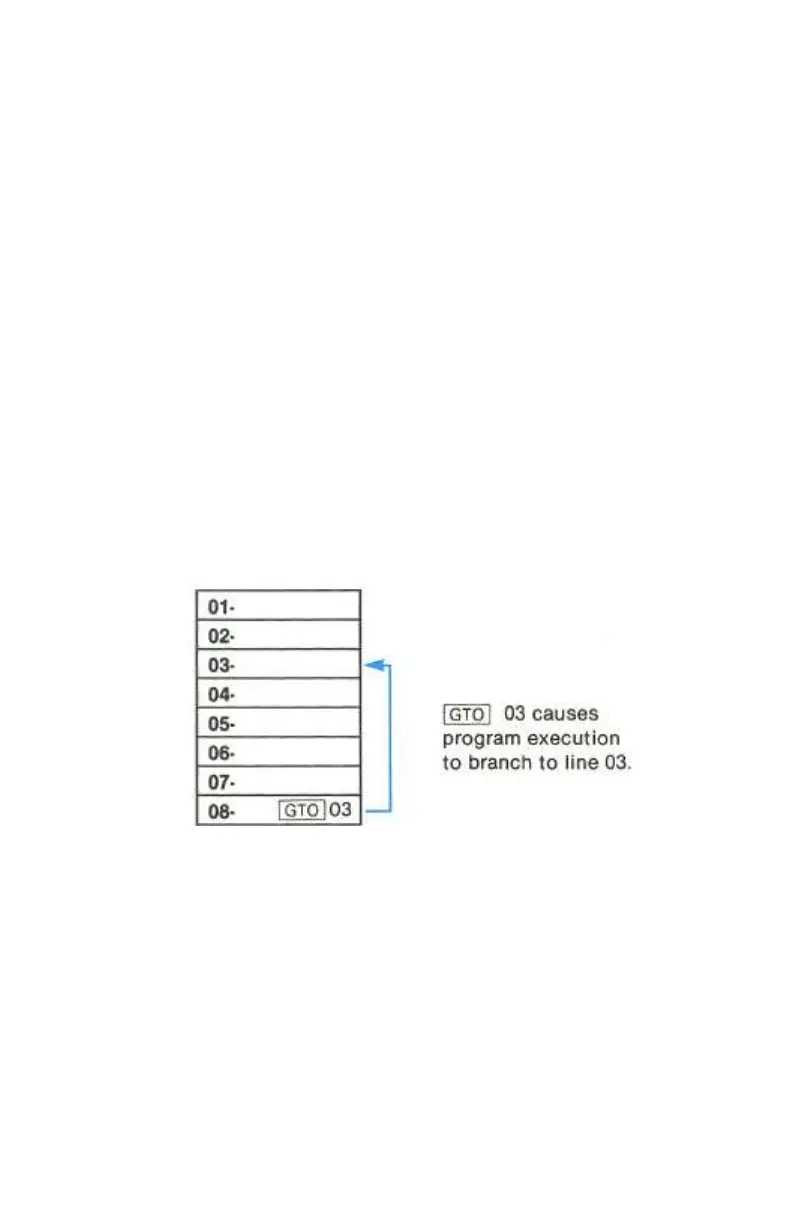
If a t instruction specifies a lower numbered line in program memory, the
instructions in the program lines between the specified line and the t
instruction will be executed repeatedly. As can be seen in the illustration above



 To Next Page