Hardware options installation 23
6.
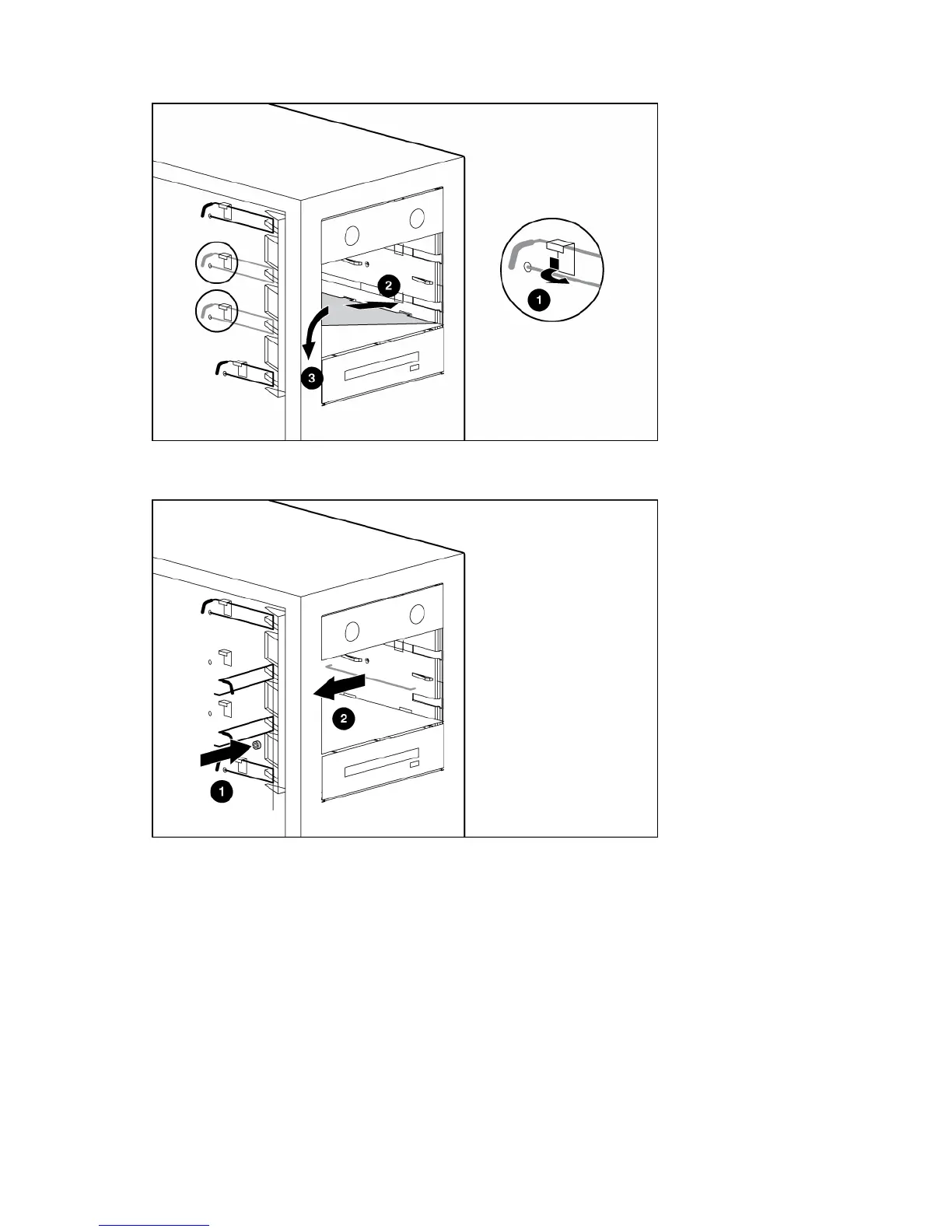
Open the media bay retainers and install the media bay plate.
7. Tighten the media bay plate screw.
8. Remove the media bay support wire.
9. Slide the full-height media device part of the way into the bay.
10. Connect the four-pin power cable to the full-height device.
11. Connect the device cable to the device and the system board or to an expansion board, as directed
by the option documentation.
12. Slide the media drive fully into the bay until it is seated securely.














 To Next Page