EasyManua.ls Logo

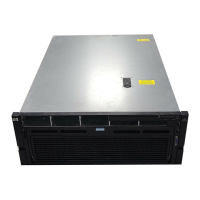
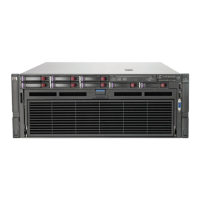
HP ProLiant DL585 G7 - User Manual

HP ProLiant DL585 G7
126 pages
Print Icon
To Next Page IconTo Next Page
Loading...
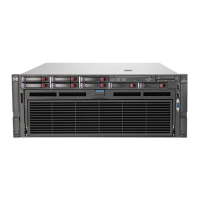
HP ProLiant DL585 G7 Server
User Guide
Abstract
This document is for the person who installs, administers, and troubleshoots servers and storage systems. HP assumes you are qualified in the
servicing of computer equipment and trained in recognizing hazards in products with hazardous energy levels.
Part Number: 617692-004
October 2012
Edition: 4

Table of Contents

Other manuals for HP ProLiant DL585 G7

Questions and Answers

  • L
    Lisa LandryJul 26, 2025
    What to do if HP ProLiant DL585 G7 does not boot a previously installed operating system?
    • C
      Christopher AdamsJul 26, 2025
      If your HP Server fails to boot a previously installed operating system, there might be a corrupted operating system (restore or reinstall it). Check the hard drive and subsystem settings. Also, review and adjust the boot order in RBSU.
  • R
    Richard PalmerAug 3, 2025
    Why won't my HP Server power on?
    • B
      Brandon JosephAug 3, 2025
      Your HP Server might not power on due to several reasons. Ensure all power cords are securely connected, as the issue could stem from a loose or faulty power cord or an improperly seated or faulty power supply. Check the power source and the power on circuit. Also, make sure each device is properly seated. If problems continue, remove and reinstall each device, checking the connectors and sockets for bent pins or other damage. A faulty internal component could also be the cause.
  • S
    Susan WoodAug 10, 2025
    What to do if my HP ProLiant DL585 G7 Server boots, but a fault event is reported by Insight Management Agents?
    • C
      castillomatthewAug 10, 2025
      If your HP Server boots but reports a fault event via Insight Management Agents, check that all internal and external components are properly seated. Remove any unsupported components. Also, check the redundancy status and configurations. Finally, ensure proper cooling and ventilation for the system, as it may be experiencing an overtemperature condition.
  • P
    pfordAug 17, 2025
    How to fix HP ProLiant DL585 G7 that does not complete POST?
    • S
      Stephanie AndersonAug 17, 2025
      If your HP Server does not complete POST, check that all internal components are properly seated. Test or replace the KVM device. Also, test or replace the video device.

Summary

Component identification

Front panel components

Identifies and describes the components located on the front of the server.

Front panel LEDs and buttons

Details the function and status of LEDs and buttons on the server's front panel.

Systems Insight Display

Explains the LEDs on the Systems Insight Display and their meanings.

Rear panel components

Identifies and describes the components located on the rear of the server.

Rear panel LEDs and buttons

Details the function and status of LEDs and buttons on the server's rear panel.

Power supply LED

Explains the status indicators for the server's power supply units.

System board components

Identifies and describes the components located on the server's system board.

System maintenance switch

Explains the function and configuration of the ten-position system maintenance switch.

SPI board components

Identifies and describes the components on the SPI board.

I;O expansion board components

Identifies components for PCI-X/PCI Express and PCI Express I/O expansion boards.

DIMM slot locations

Illustrates the locations of DIMM slots on the primary processor memory board.

SAS hard drive LEDs

Describes the LEDs on SAS hard drives and their meanings.

Battery pack LEDs

Identifies and describes the LEDs on the battery pack.

FBWC module LEDs

Explains the status indicators for the FBWC module's green and amber LEDs.

Operations

Power up the server

Instructions on how to power on the server.

Power down the server

Step-by-step guide to safely power down the server.

Extend the server from the rack

Procedures for extending the server from its rack mounting.

Remove the access panel

Instructions for removing the server's access panel, including safety warnings.

Remove the processor memory drawer

Detailed steps for removing the processor memory drawer.

Remove the SPI board

Steps to remove the SPI board from the server.

Setup

Optimum environment

Guidance on selecting an appropriate installation location for the server.

Space and airflow requirements

Specifies clearances needed for proper server airflow and servicing.

Temperature requirements

Details environmental temperature requirements for server operation.

Power requirements

Outlines electrical power requirements and safety guidelines for installation.

Electrical grounding requirements

Explains proper electrical grounding procedures for the server.

Rack warnings

Provides warnings related to rack installation and stability.

Installing hardware options

General advice on installing hardware options before server initialization.

Installing the server into the rack

Refers to rack kit instructions for installing the server.

Powering up and configuring the server

Steps for powering up and initial configuration of the server.

Installing the operating system

Methods and resources for installing the server's operating system.

Hardware options installation

Introduction

General advice for installing hardware options.

Secondary processor memory board option

Steps to install a secondary processor memory board.

Processor options

Information on server processor support and installation guidelines.

Installing a processor option

Detailed steps for installing a processor onto the server.

Memory configurations

Details memory configurations, including module types and capacity.

Population order

Tables showing the correct order for installing memory modules.

Hot-plug hard drive option

General guidelines for adding hot-plug hard drives to the server.

Redundant hot-plug power supply option

Information on installing redundant hot-plug power supplies for increased availability.

Battery-backed write cache module

Information about the HP BBWC module for data protection.

HP Trusted Platform Module option

Overview of installing and enabling a Trusted Platform Module (TPM).

Server software and configuration utilities

SmartStart software

Description of the SmartStart deployment software.

HP ROM-Based Setup Utility

Overview of the RBSU utility for server configuration.

Auto-configuration process

Explains the automatic system configuration process during initial boot.

Array Configuration Utility

Description of the Array Configuration Utility (ACU) features.

Re-entering the server serial number and product ID

Procedure to re-enter serial and product ID after system board replacement.

Integrated Lights-Out 3 technology

Details the capabilities and features of iLO 3 for remote management.

Diagnostic tools

Overview of tools used for server diagnostics and troubleshooting.

Drivers

Guidance on installing and updating device drivers for the server.

HP Smart Update Manager

Overview of HP Smart Update Manager for firmware deployment.

Troubleshooting

Troubleshooting resources

Points to the HP ProLiant Servers Troubleshooting Guide.

Pre-diagnostic steps

Essential steps to take before starting troubleshooting.

Important safety information

Emphasizes reading safety information before servicing.

Loose connections

Troubleshooting steps for loose or damaged cables and connections.

Troubleshooting flowcharts

Introduces the available troubleshooting flowcharts.

Start diagnosis flowchart

The primary flowchart to begin the troubleshooting process.

General diagnosis flowchart

A generic flowchart for troubleshooting unspecified problems.

Server power-on problems flowchart

A flowchart to diagnose issues when the server does not power on.

POST problems flowchart

A flowchart to diagnose issues related to the Power-On Self-Test (POST).

Regulatory compliance notices

Federal Communications Commission notice

FCC rules regarding RF emission limits for Class A and Class B devices.

European Union regulatory notice

Information on CE marking and compliance with EU directives.

Laser compliance

Compliance information for laser products, including warnings.

Wireless devices

Information on installing and using wireless devices.

Electrostatic discharge

Preventing electrostatic discharge

Precautions to prevent damage from static electricity.

Grounding methods to prevent electrostatic discharge

Methods for grounding to prevent electrostatic discharge.

Specifications

Environmental specifications

Tables detailing operating and shipping environmental conditions.

Server specifications

Tables detailing server dimensions, weight, and input/output requirements.

Support and other resources

Before you contact HP

Information to have ready before contacting HP support.

HP contact information

Contact details for HP support in the US and worldwide.

Customer Self Repair

Information on HP's Customer Self Repair program.

Acronyms and abbreviations

Documentation feedback

HP ProLiant DL585 G7 Specifications

General IconGeneral
Product TypeServer
Memory TypeDDR3
Hard Drive InterfaceSAS/SATA
Maximum Internal Storage16TB
NetworkGigabit Ethernet
ManagementHP iLO 3
Form FactorRack
ChipsetAMD SR5690
Memory Slots32
Storage ControllerHP Smart Array P410i
ProcessorAMD Opteron 6100 Series (4P)
Maximum Memory512 GB (RDIMM)
Network ControllerHP NC382i Dual Port Multifunction Gigabit Server Adapter

Related product manuals