12
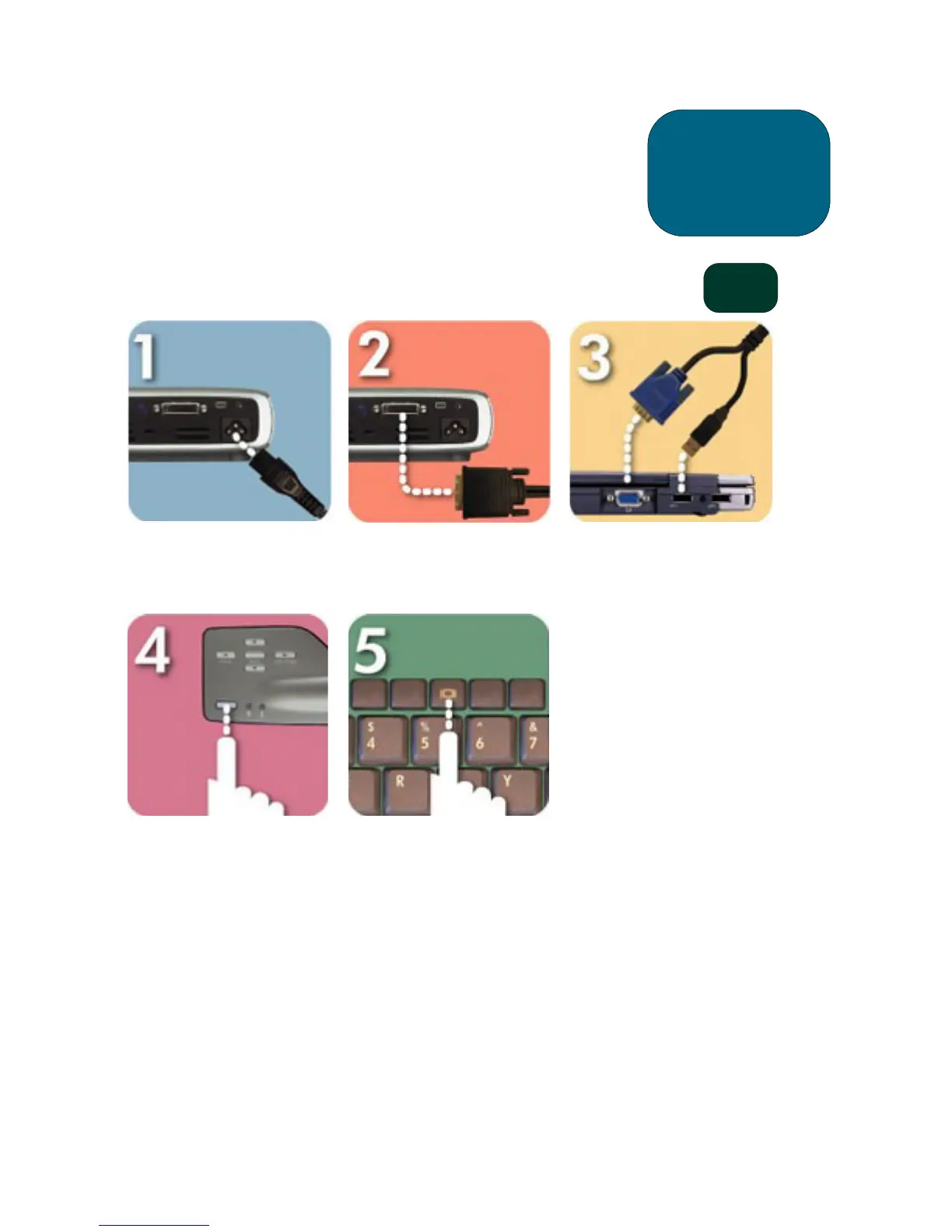
Connecting the hp digital projector sb21 to a
computer
Connect the power cord to the
projector and a power outlet.
Connect the black end of the
video cable to the projector.
Connect the blue end of the
video cable to the PC; optionally,
to have the remote control
function as a mouse, connect the
USB connector to the PC.
Start the projector; after a 30-
second warm-up it will search for
a video signal.
If no video signal is found, you
may need to set up the PC to
send a video signal out the video
port.
installation
CAUTION!
Unplugging the projector while
the fan is running may reduce
lamp life.
NOTE: For best performance,
configure the display
mode of your computer’s
graphic card to 800×600
resolution. Ensure the
timing of the display
mode is compatible with
the projector. Refer to the
“hp sb21 compatibility
modes” section on
page 37.
sb21



 To Next Page