13
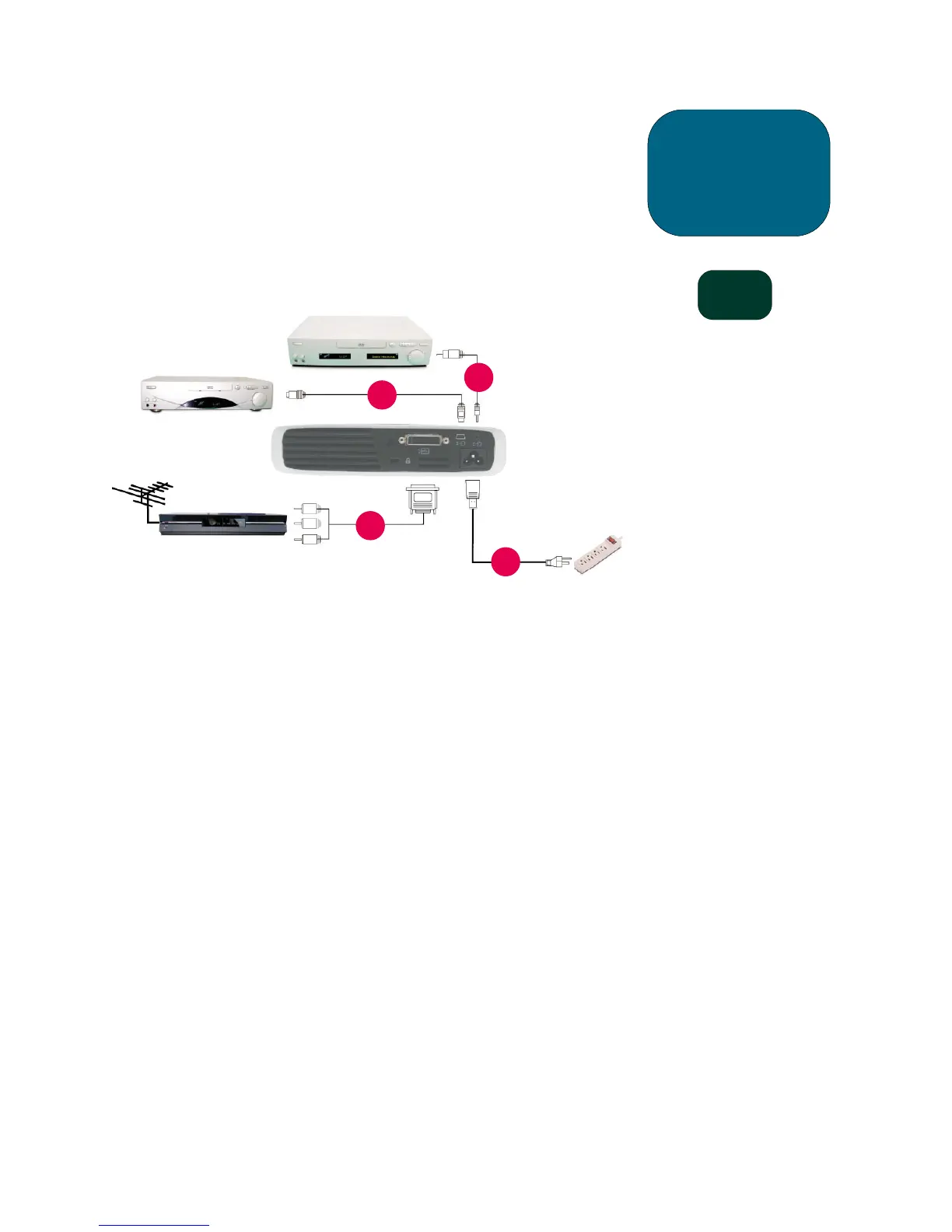
Connecting the hp digital projector sb21 to other
signal sources
1. Power Cord
2. Composite Video Cable
3. S-video Cable
4. M1-A to HDTV / Component and USB
Cable (optional accessory)
sb21
1
2
3
4
installation
CAUTION!
Unplugging the projector while
the fan is running may reduce
lamp life.
NOTE: For best performance,
configure the display
mode of your computer’s
graphic card to 800×600
resolution. Ensure the
timing of the display
mode is compatible with
the projector. Refer to the
“hp sb21 compatibility
modes” section on
page 37.
S-video Output
Digital Tuner Output
Video Output
Antenna



 To Next Page