20
Control panel & remote control
The projector’s functions are controlled via the Control Panel and the Remote
Control, and the On Screen Display (OSD).
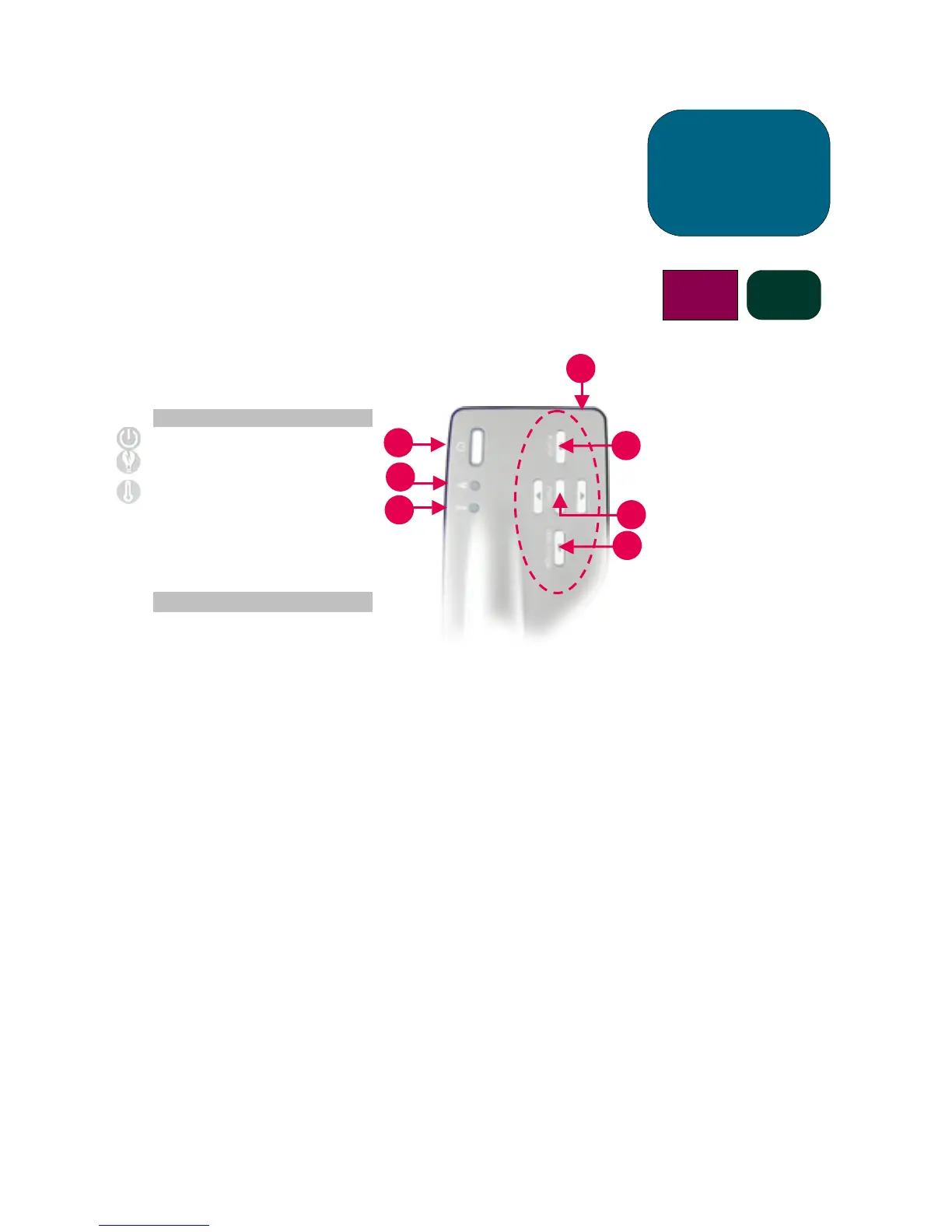
Control Panel
1. Power (ON/OFF) Button
2. Lamp Warning Indicator Light
3. Temperature Warning
Indicator Light
4. Source Button
5. Menu (ON/OFF) Button
6. Auto Image Button
7. Four Directional Select Buttons
Power ON/OFF Button
• Refer to “Turning the Projector ON and OFF” on pages 14-15.
Source Button
• Press the “Source” button to choose the appropriate signal source - RGB, DVI-Digital, DVI-Analog,
S-Video, Composite, Component and HDTV sources.
NOTE: This button will not function when the OSD menu is displayed.
Auto Image Button
• Press the “Auto Image” button to automatically synchronize the projector to the input source.
NOTE: This button will not function when the OSD menu is displayed.
7
user
controls
b31 sb21
1
4
2
6
5
3



 To Next Page