18
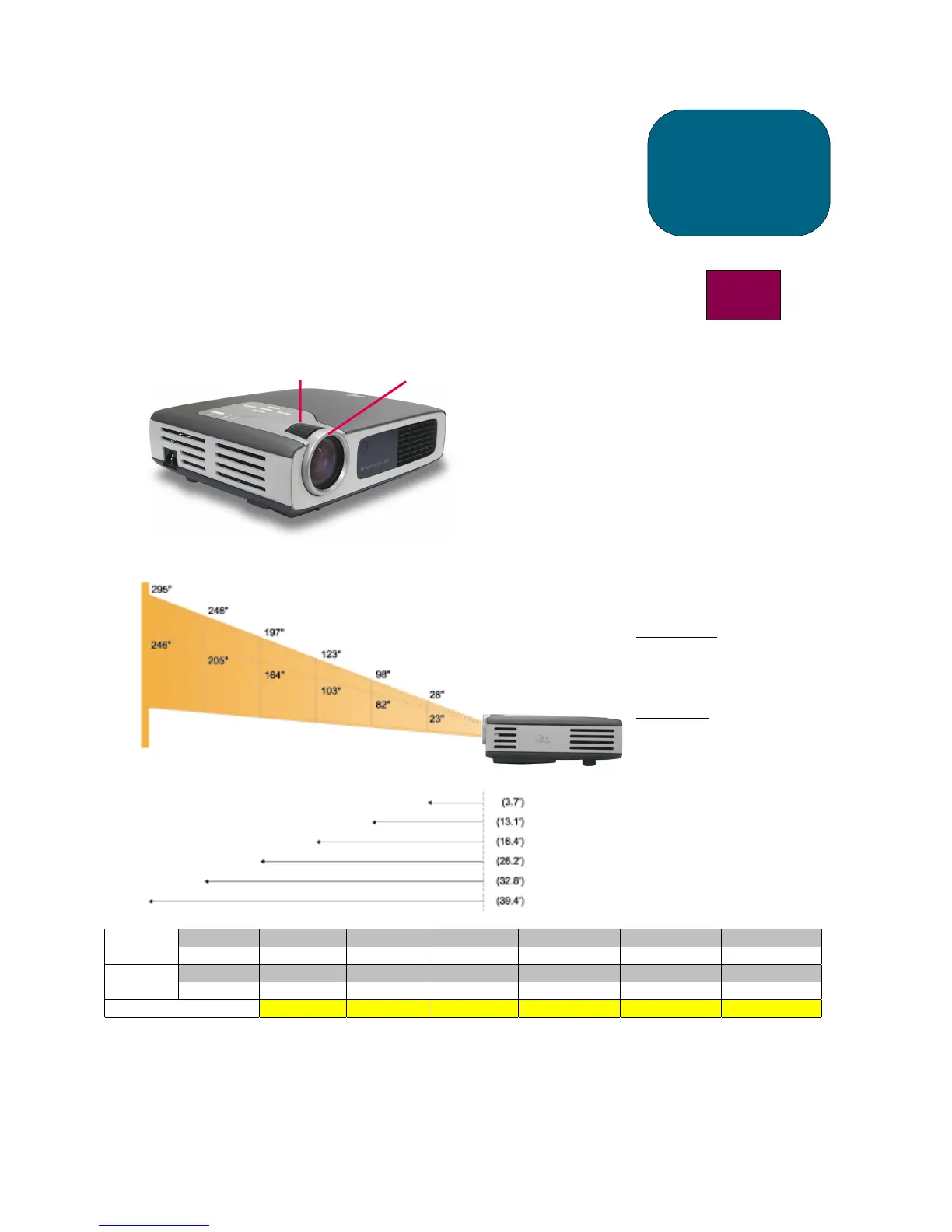
Adjusting the hp xb31 zoom and focus
Zoom is adjusted by rotating the zoom ring.
Rotate the focus ring until the image is clear.
The projector will focus at distances from 1.14 m to 12 m (3.7 feet to 39.4 feet).
Projected image size (diagonal)
Max. 28” 98” 123” 197” 246” 295”Screen
(Diagonal)
Min. 23” 82” 103” 164” 205” 246”
Max.(WxH) 22.4”x16.8” 78.4”x58.8” 98.4”x73.8” 157.6”x118.2” 196.8”x147.6” 236.0”x177.0”Screen
Size
Min.(WxH) 18.4”x13.8” 65.6”x49.2” 82.4”x61.8” 131.2”x98.4” 164.0”x123.0” 196.8”x147.6”
Focal Distance 3.7’ 13.1’ 16.4’ 26.2’ 32.8’ 39.4’
NOTE: This graph is for user’s reference only.
operation
b31
Calculating the Projected
Image Size
The screen diagonal dimension
can be approximated by using one
of these formulas:
Zoomed out
7.5*Distance(ft.)=Diagonal(in.)
0.625*Distance(m)=Diagonal(m)
or
Zoomed in
6.25*Distance(ft.)=Diagonal(in.)
0.52*Distance(m)=Diagonal(m)
For example:
If your xb31 is 10 feet from the
screen, the approximate zoomed
out screen diagonal dimension will
be 7.5*10 = 75 inches.
Zoom Ring
Focus Ring
Focal
Distance



 To Next Page