14.
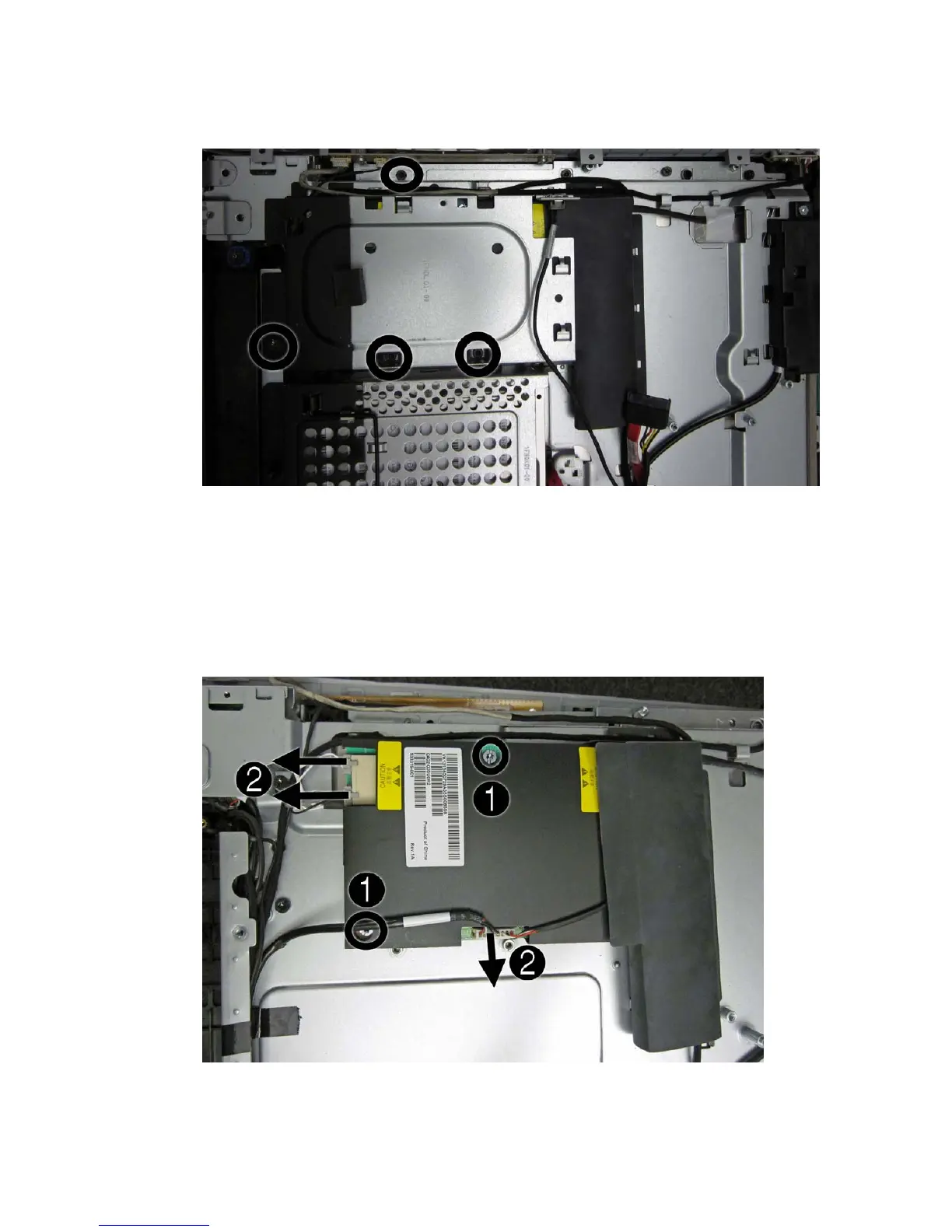
Remove the four screws that secure the inverter cover to the computer, and then remove the cover
from the computer.
15. To remove the inverter:
a. Remove the two black baffles from the board.
b. Disconnect the two cables (1) from the inverter board.
c. Remove the two screws (2) that secure the board to the computer.
d. Remove the inverter from the computer.
Touch panel assembly
43



 To Next Page
 Loading...