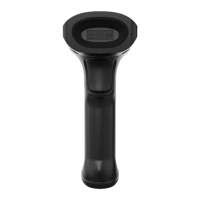
Power on, Power off and Restart
Power on: power on automatically when the scanner is connected to the host.
Power off: unplug the data cable.
Restart: if the scanner stops responding to input or runs abnormally please re-plug the data cable.
Maintenance
The reading window must be kept clean. Supplier is exempt from warranty liability for damage
caused by improper maintenance.
Avoid hard and rough objects to scratch the reading window.
Remove the stains from widow with a brush.
Please use a soft cloth to clean the window, such as glasses cloth.
Do not spray any liquid on the window.
Do not use any cleaner other than cleaning water.
Barcode Read
In manual read mode, the procedure for scanning barcodes is as follows:
(1) Make sure that the scanner, data cable, data receiving host, and power supply are properly
connected and turned on.
(2) Press the trigger to activate the light.
(3) Align the aiming line to the center of the barcode, move the scanner and adjust the distance
between it and the barcode to find the optimal scanning distance.
(4) When hear the prompt sound, the infrared light goes out and the barcode reading successfully,
then the scanner will decode the data to the host.
(5) All set barcodes are saved by power outage.
▲Note: For the same batch of barcodes, the scanner keeps a very high success ratio in certain
distance which is regarded as the optimal scanning distance.


 To Next Page