Appendix Ⅱ Data code prefix and suffix
E.g. Adding prefixes “@!”, steps:
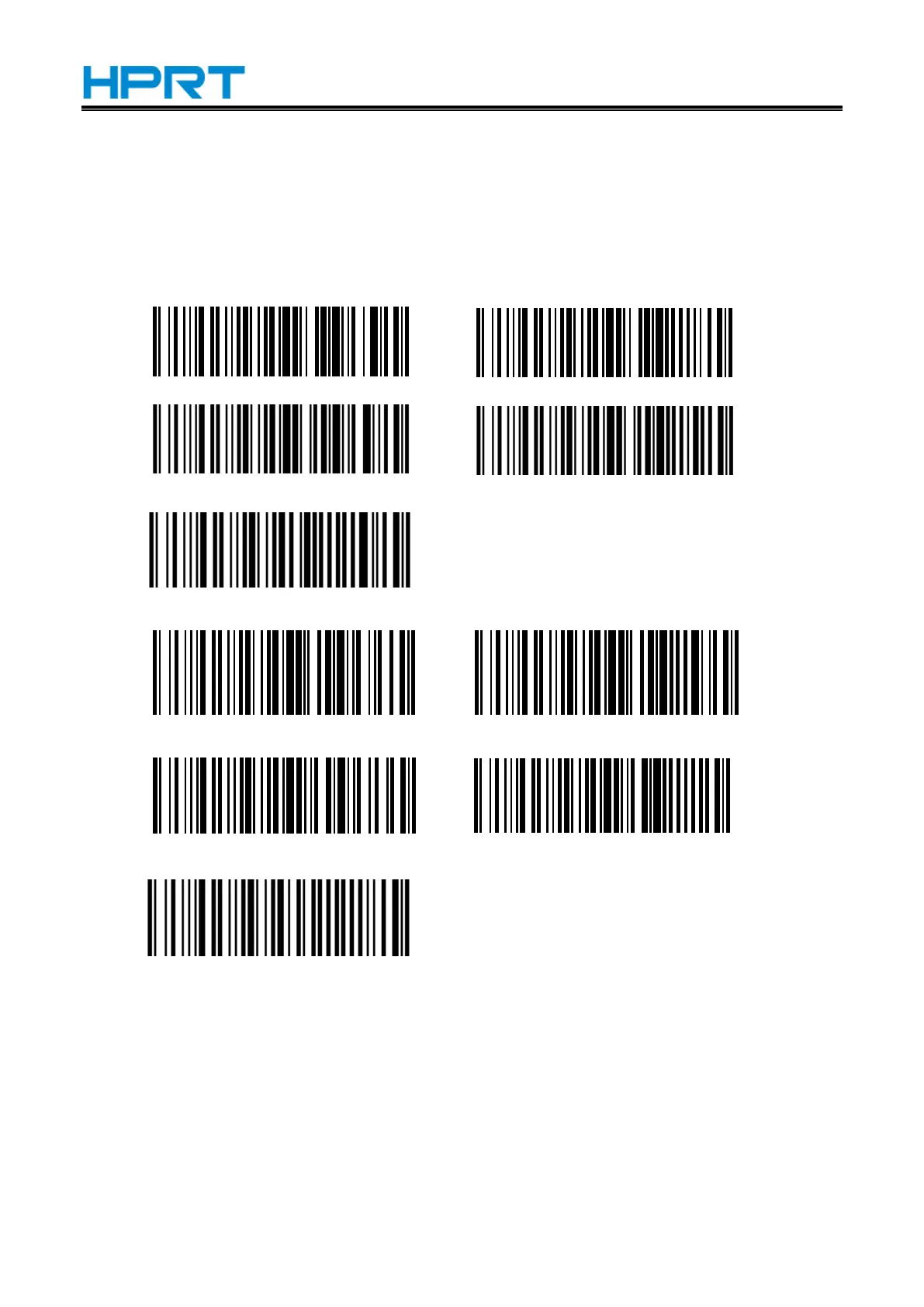
Scan the setting barcode【open prefix 1】--> Scan the setting barcode【@】 Scan the setting
barcode【open prefix 2】--> Scan the setting barcode【!】
The detailed barcode is set as follows:
Open prefix 1 Clear prefix 1
Open prefix 2 Clear prefix 2
Clear all prefix data
Open suffix 1 Clear suffix 1
Open suffix 2 Clear suffix 2
Clear all suffix data


 To Next Page