Codabar
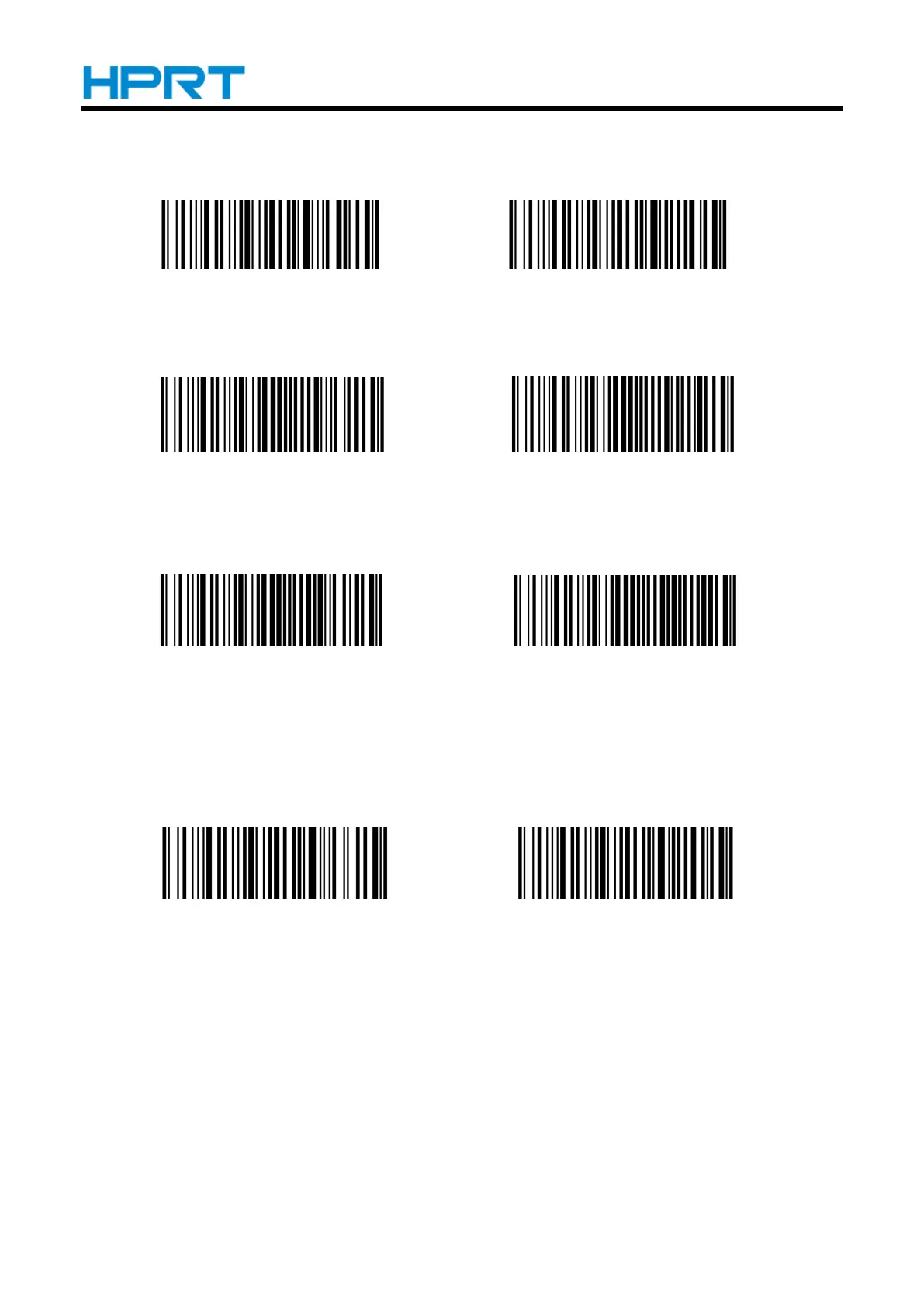
Enable/Disable Codabar
Enable (Default) Disable
Start and stop characters
Enable CLSI Disable CLSI (Default)
Enable this parameter to remove the start and stop characters, and insert spaces after the first,
fifth and tenth characters of the 14-character Codabar barcode.
Enable NOTIS Disable NOTIS (Default)
Enable this parameter to remove the start and stop characters.
MSI
Enable/Disable MSI
Enable Disable (Default)
Check Setting
MSI barcode data does not contain the check digit. If there is a check digit, it can be the last one
or two characters of the data. The check bit is the value calculated from all data to check whether the
data is correct. Therefore, if it is set to "Not check", the reader will normally transmit all barcode data.


 To Next Page