PGM-FI Setting
14
Receiving data (ECU to PC)
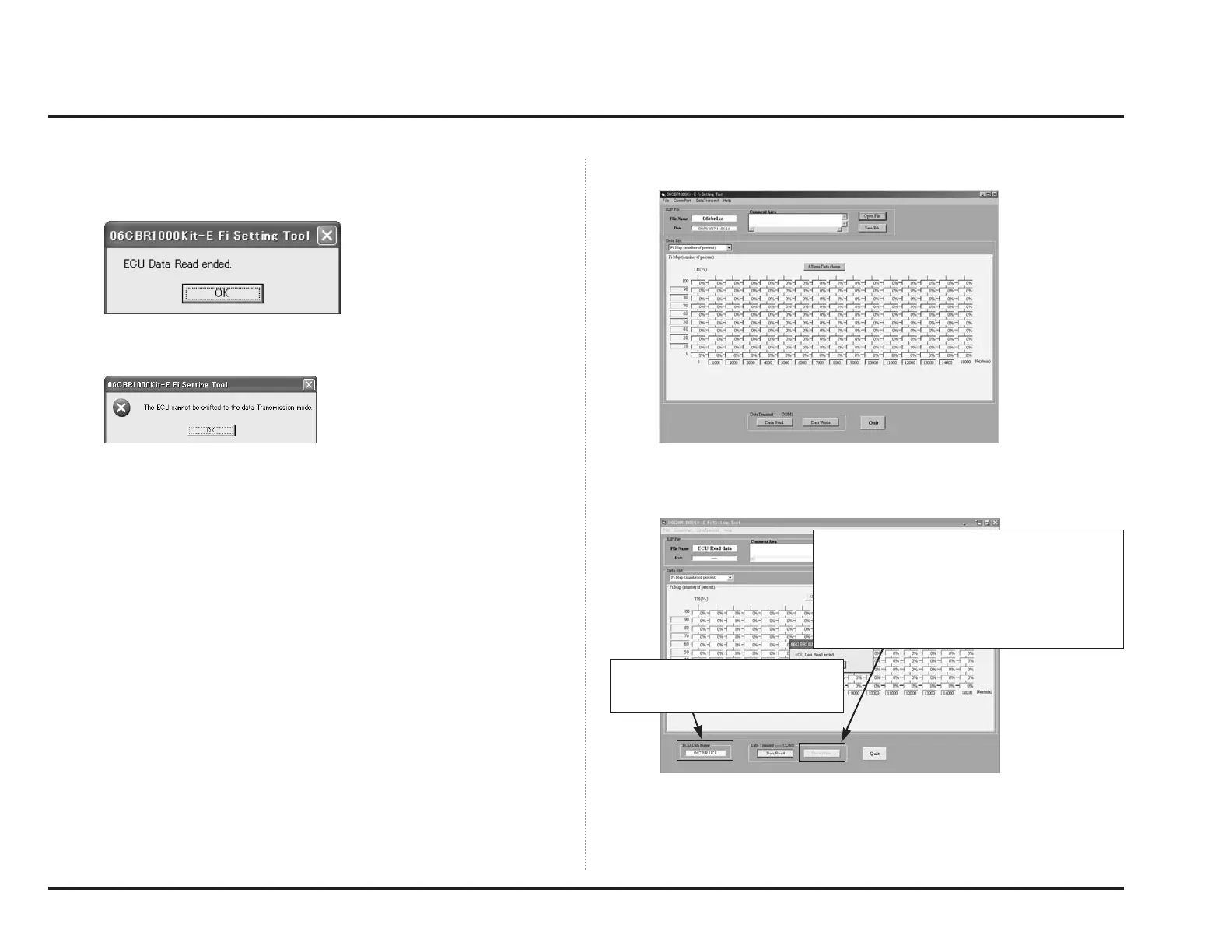
By clicking “Data Read”, you can retrieve setting data from ECU.
Take the same procedure as Data Write and the screen will be like below.
Turn ON the engine stop switch again and click “OK” or press “Enter key” with-
in two seconds.
If communication is correctly completed, the following window will appear.
If communication could not be performed correctly, the following window will
appear.
Check connection and communication settings and retry communication click-
ing “Data Write” again.
File name becomes “ECU Read data” when the
data retrieval is completed.
Note 1:
In this state, “Data Write” cannot be performed.
Note 2:
If you save or change the date once, you will be
able to transmit into ECU.
Contents of the display will change
to the setting data in ECU and its file
name will be displayed here.



 To Next Page