17
PGM-FI Setting
Pit Road Speed Limiter
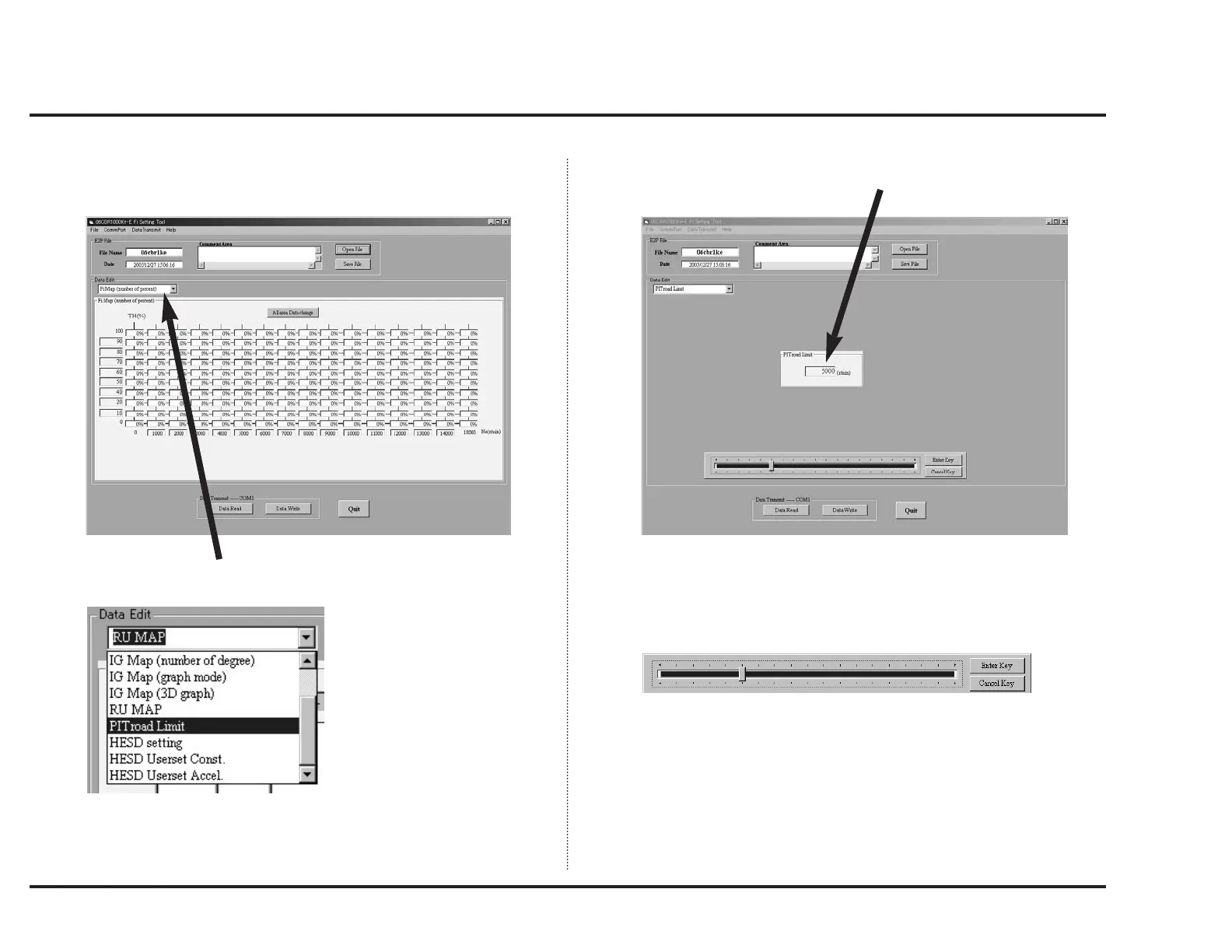
When you click the data edit selector, a pull down menu like below will appear.
Select “PITroad Limit” from pull down menu.
Connect the PC and data link connector with serial interface.
When you start up the setting tool, a window like below will appear.
When you click the window like below, a scale as shown below will appear.
Set the ignition cut engine speed as follow:
Choose a point to change with mouse or left/right arrow keys and press "Enter
key" after you put in a new value.
The change cancel is done by clicking "Cancel key".



 To Next Page