PGM-FI Setting
6
File Operation
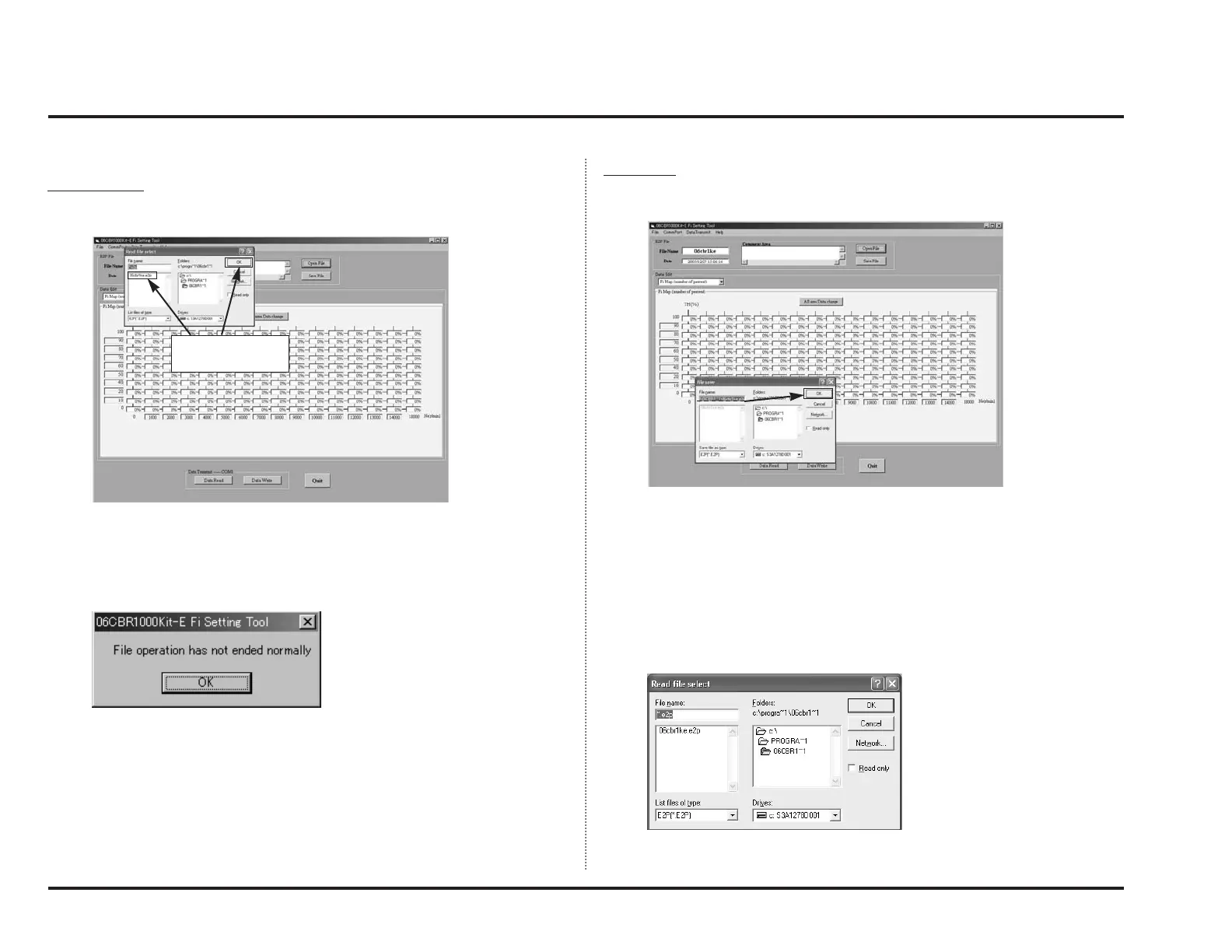
Opening a File
When you click “Open File”, a list of files which can be read in will appear.
Select a file you wish to use and click OK. Then, the data will be read in.
Note:
• Displayed file “06cbr1k.e2p” is a default data.
If the process of “Open File” is aborted, the following window will appear.
Click “OK” to continue.
Save a File
When you click “Save File”, a list of files already saved will appear and request
you to input file name.
Type a file name and click OK to save your file.
Note:
•Number of characters you may use for a file name is limited to eight or less.
What should be noted when typing in a file name
Note:
•Be sure to put the cursor before “.e2p” when you type in a file name. If you
omit the extension (.e2p), you cannot open it. (It will not be listed.)
Select a file and
click “OK.”



 To Next Page