5
PGM-FI Setting
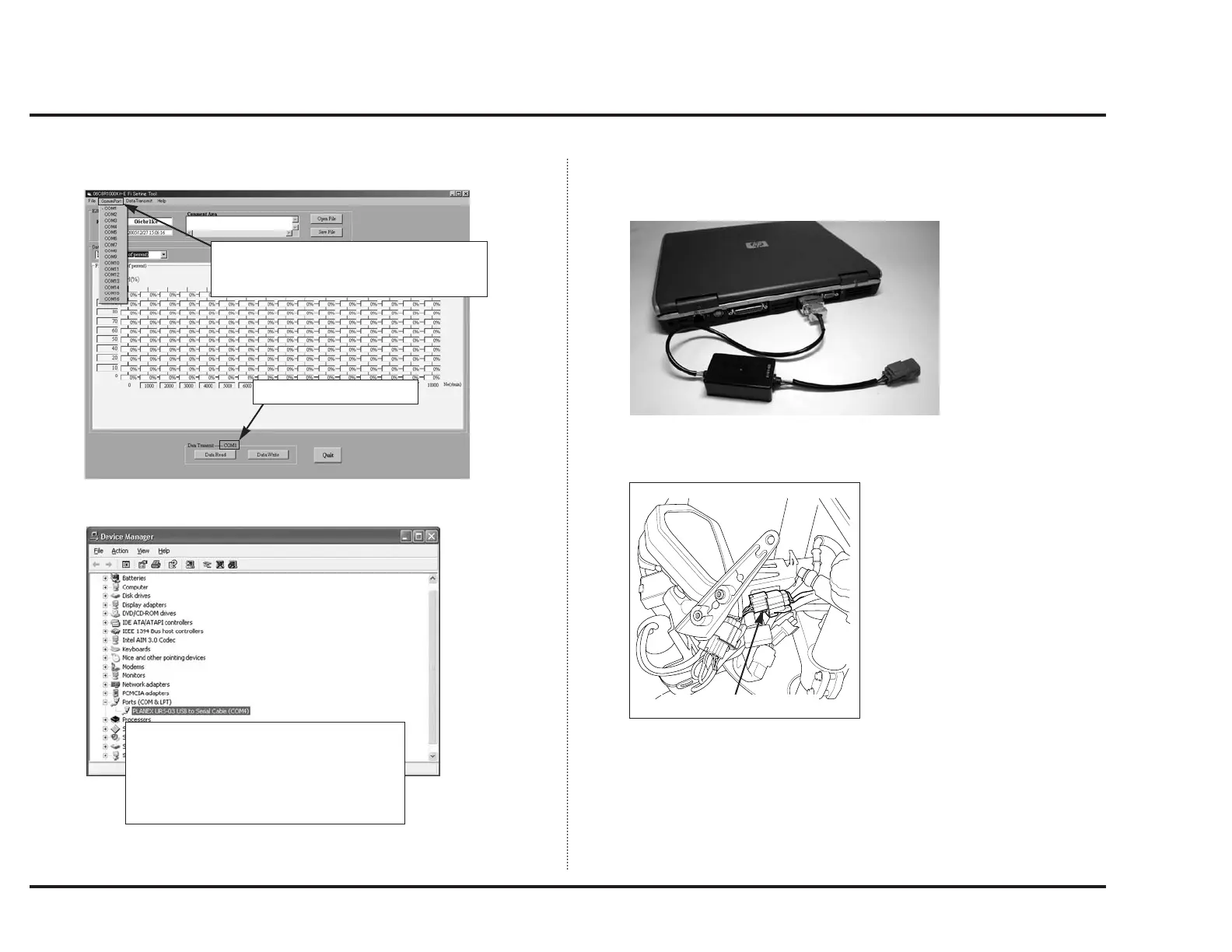
• Checking communication port (COM port)
Checking system property
Connection with the Vehicle
1. Connect the “UNIT, ASSY SERIAL I/F: 38880-NL3-750” to the serial-port of
your PC.
2. Connect red connector to the communication connector (4P red connector)
near the ECM.
Note:
• Do not drive your vehicle with the setting cord attached.
Use the setting cord only when you change setting.
When you click “ CommPort”, pulldown
menu of communication ports will appear.
You can select from COM1 to 16.
Current setting is shown.
Open system property of your PC to check
the setting of communication port.
Port setting should accord with that of the
setting tool.
If the communication port (COM1) is marked
with “X”, communication is impossible.
4P (RED) CONNECTOR



 To Next Page