PGM-FI Setting
16
*3: In case you open "Open File" when starting up for the first time.
Countermeasure : Open the directory including the tool, and change the file
name.
Select "06Cbr1000_a.e2p" and change the file name.
e.g.) Change the file name as "06Cbr1k.e2p" to "Cbr1k_01.e2p"
The file name is not specified if the name includes 8 letters or less.
Now you can open the file.
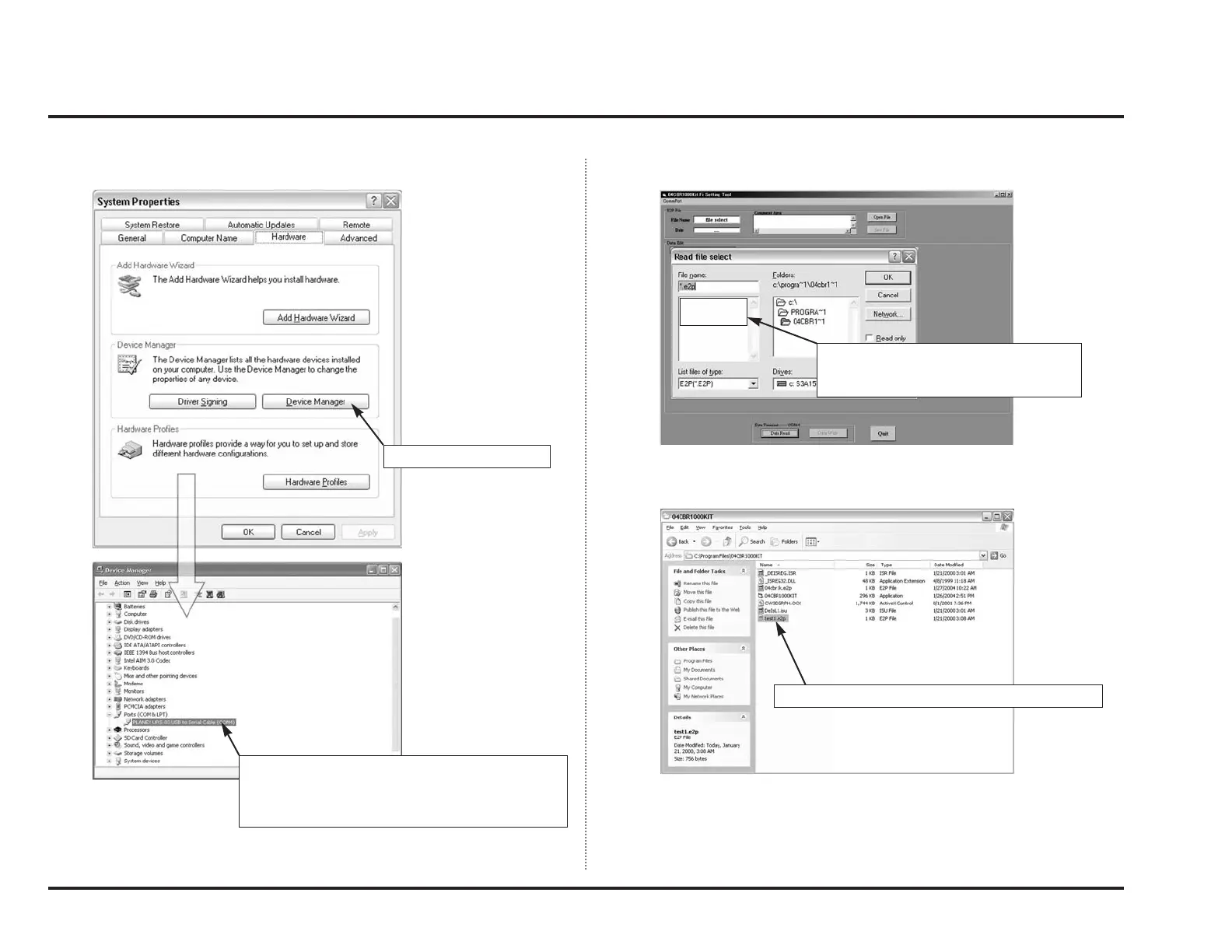
System Properties window will open.
It exists as a file, but does not displayed on the tool.
Normally 06cbr1k.e2p is displayed as
default, however it’s not displayed in this
picture.
Click “Device Manager”.
Unable to communicate when the “x” mark is
appeared on the communication port (COM1). Also
unable to communicate if the COM port is differ from
tool setting.



 To Next Page